FAQs/Integrations & tracking/RevSure 6sense Lead Scoring & Firmographics Enrichment Integration Implementation Guide
Integrations & tracking · RevSure FAQs

RevSure 6sense Lead Scoring & Firmographics Enrichment Integration Implementation Guide

1. Navigate to the data-hub module in the RevSure account. Click on the Add data source button

2. Select 6sense data source, and it will open a sidebar to configure the connection details
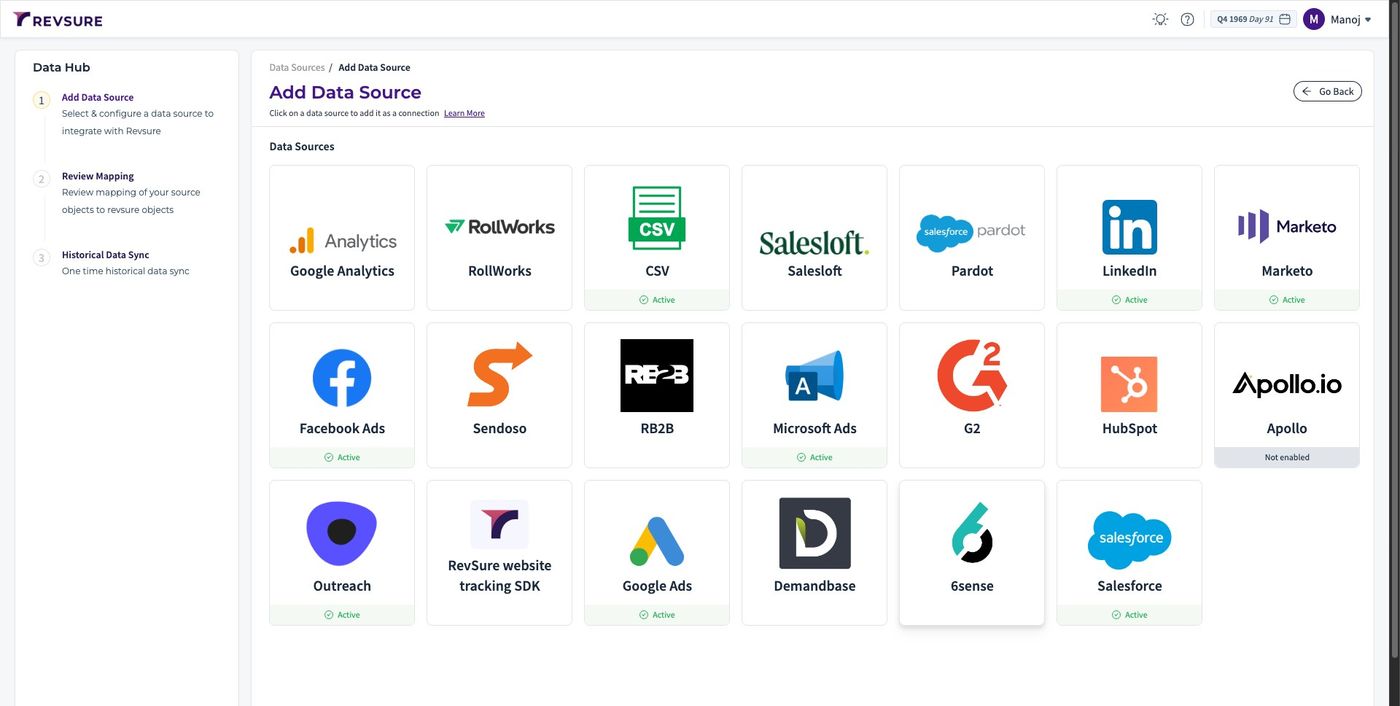
RevSure 6sense Lead Scoring & Firmographics Enrichment Integration Implementation Guide (figure 1)

3. Enter a unique connection name to identify the connection
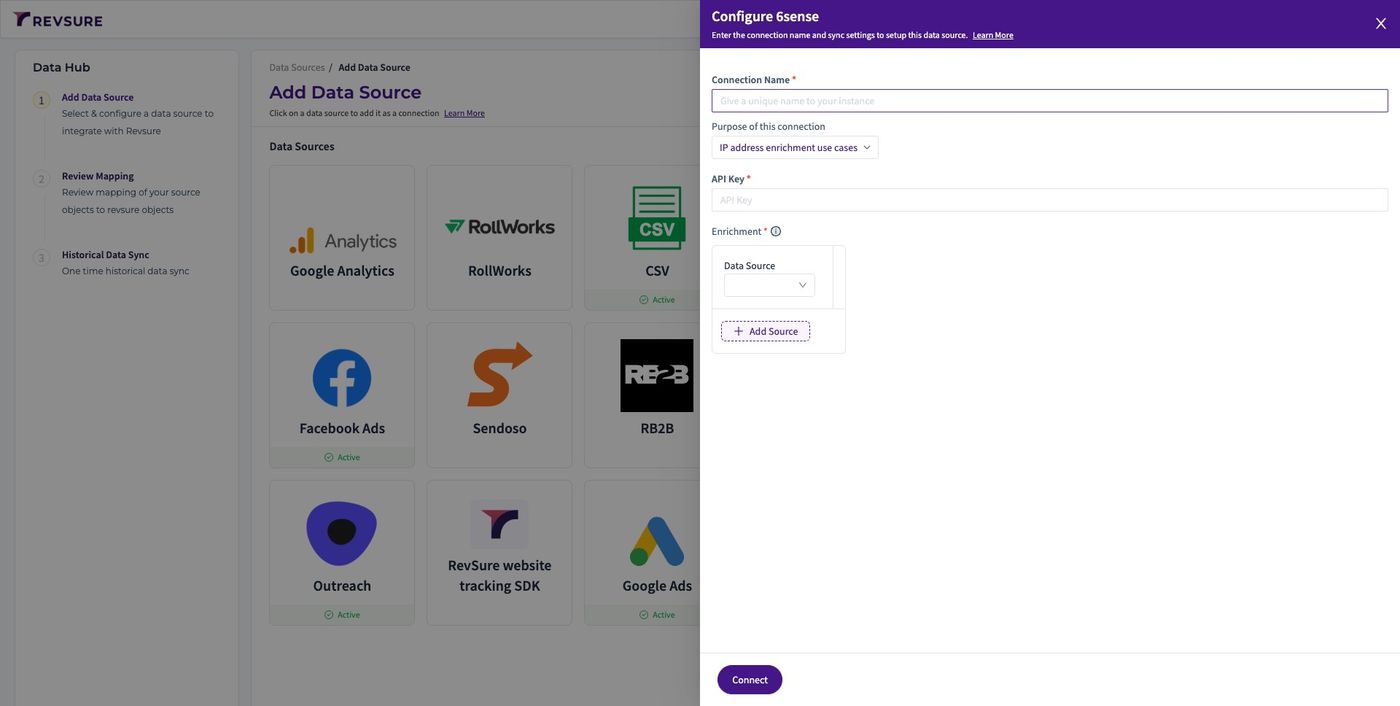
RevSure 6sense Lead Scoring & Firmographics Enrichment Integration Implementation Guide (figure 2)

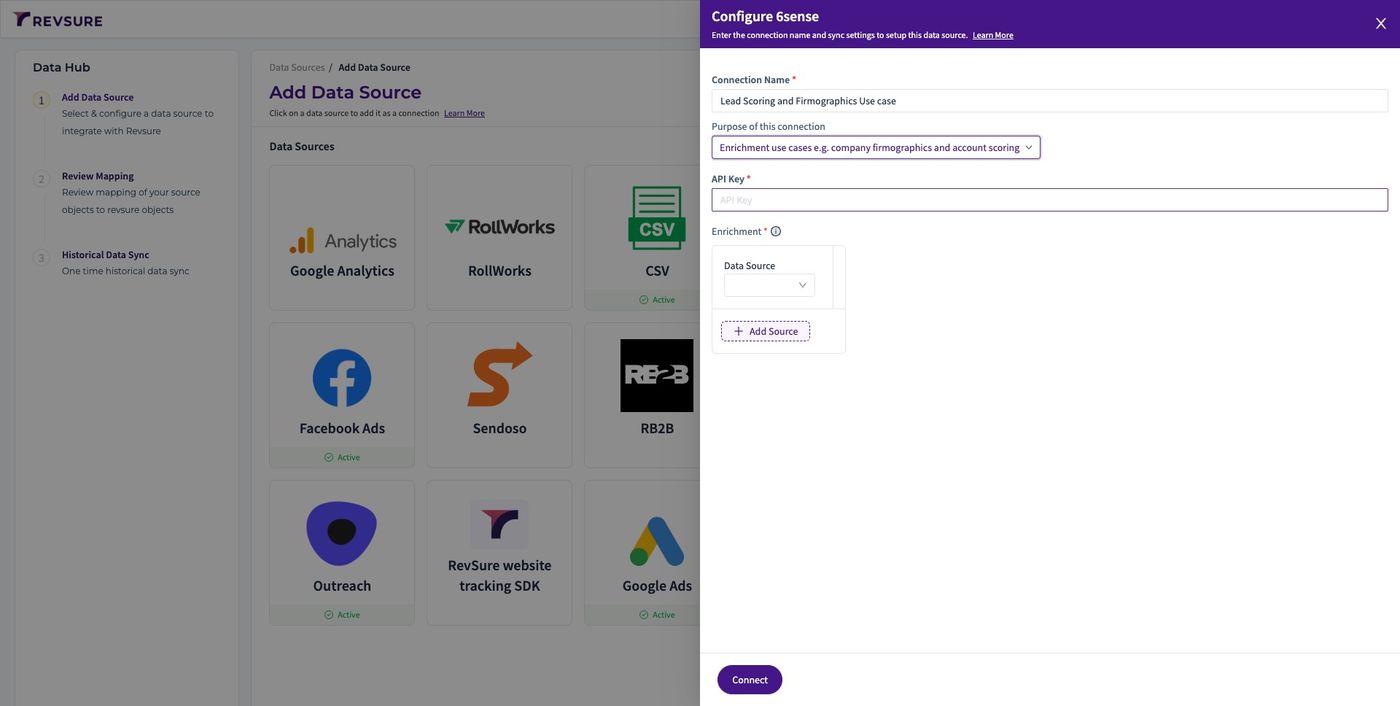
4. Select "Enrichment use cases e.g. company firmographics and account scoring"
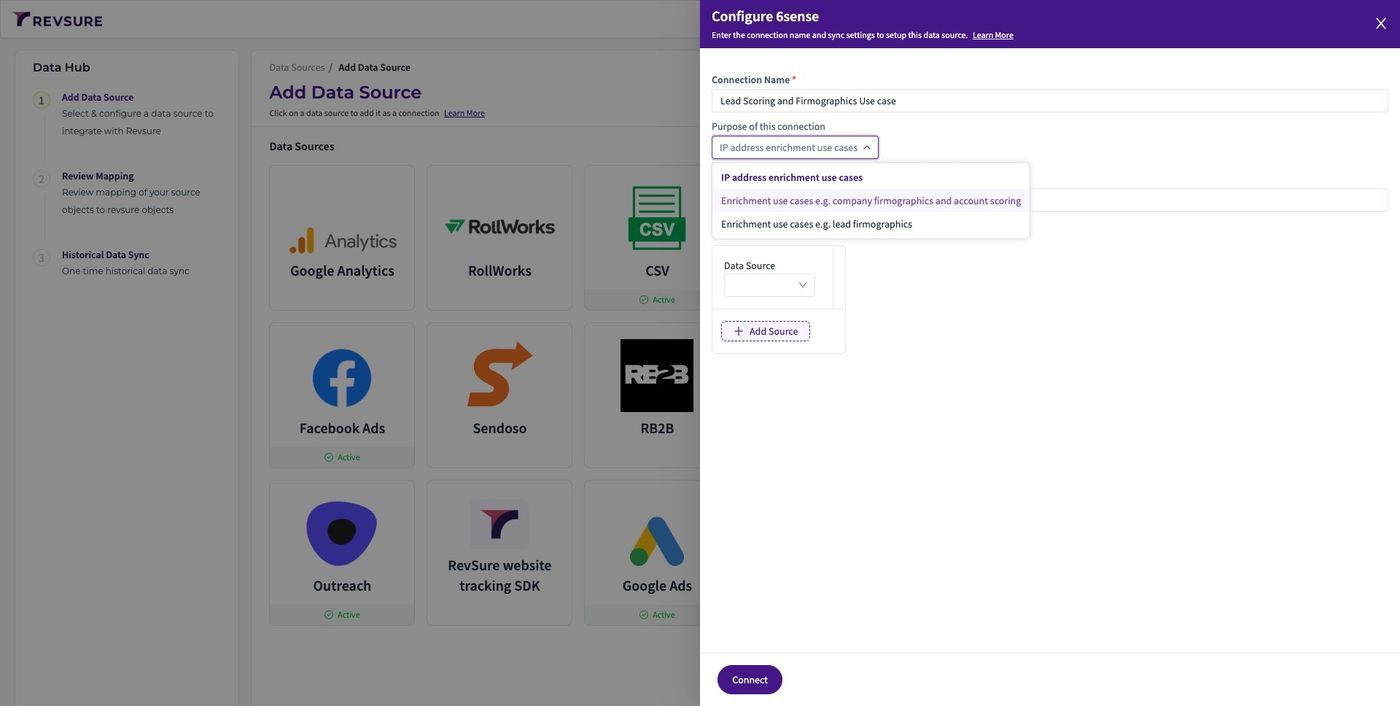
RevSure 6sense Lead Scoring & Firmographics Enrichment Integration Implementation Guide (figure 3)

5. Paste the API Key

RevSure 6sense Lead Scoring & Firmographics Enrichment Integration Implementation Guide (figure 4)

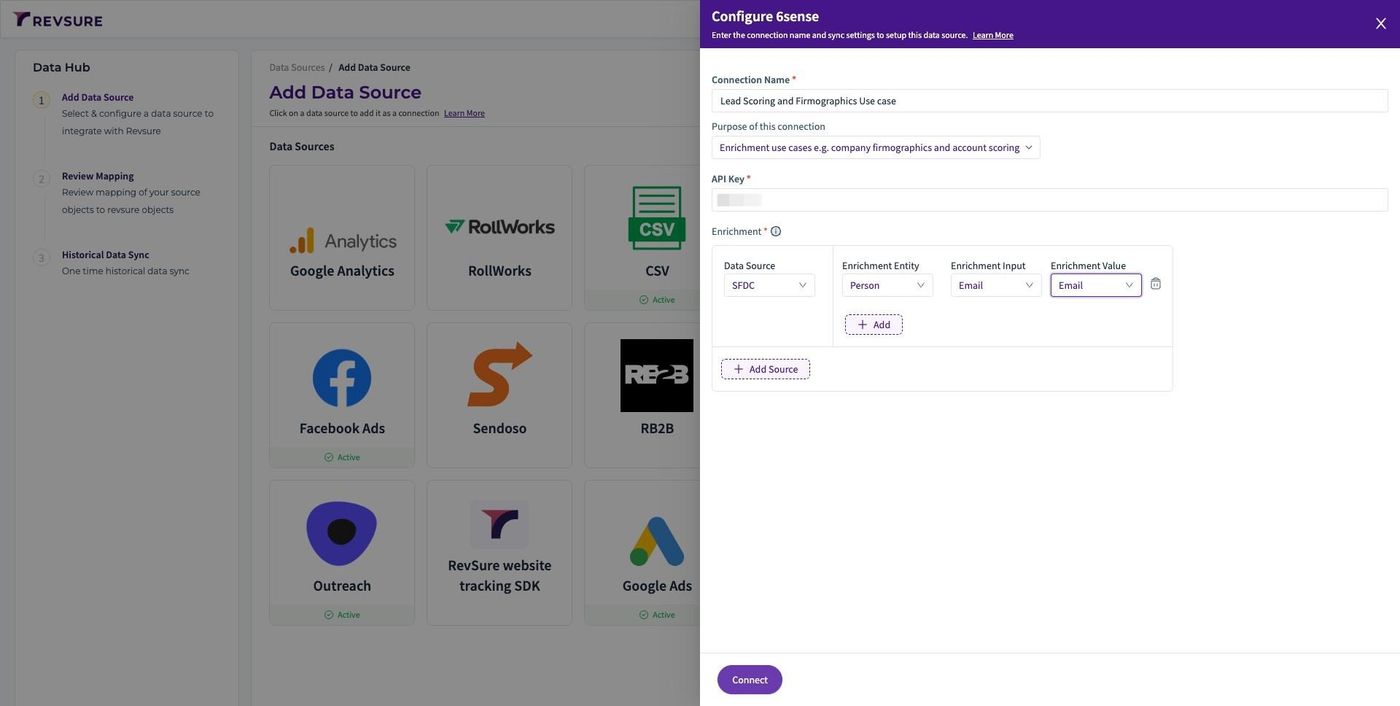
6. Select the data source. This will tell which data source to use as input
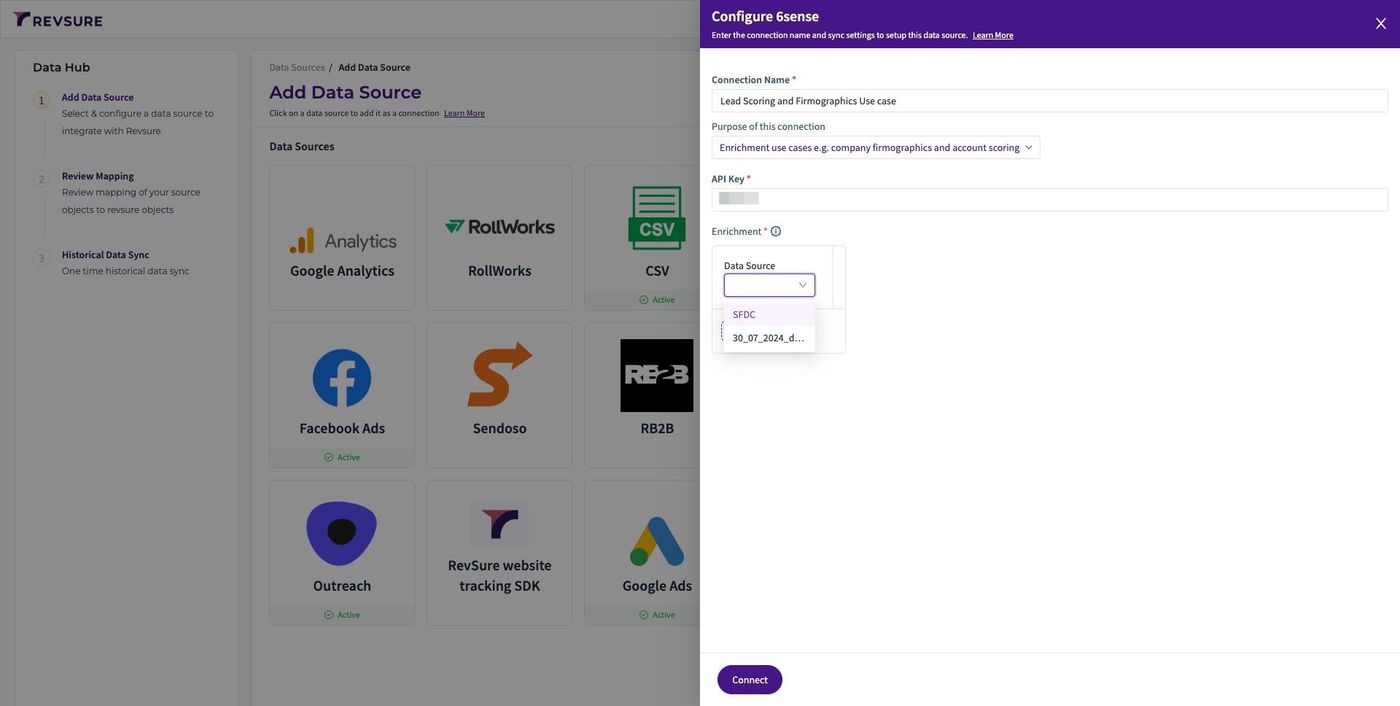
RevSure 6sense Lead Scoring & Firmographics Enrichment Integration Implementation Guide (figure 5)

7. Select Person for enrichment entity. This will tell which object of that data source to use as input
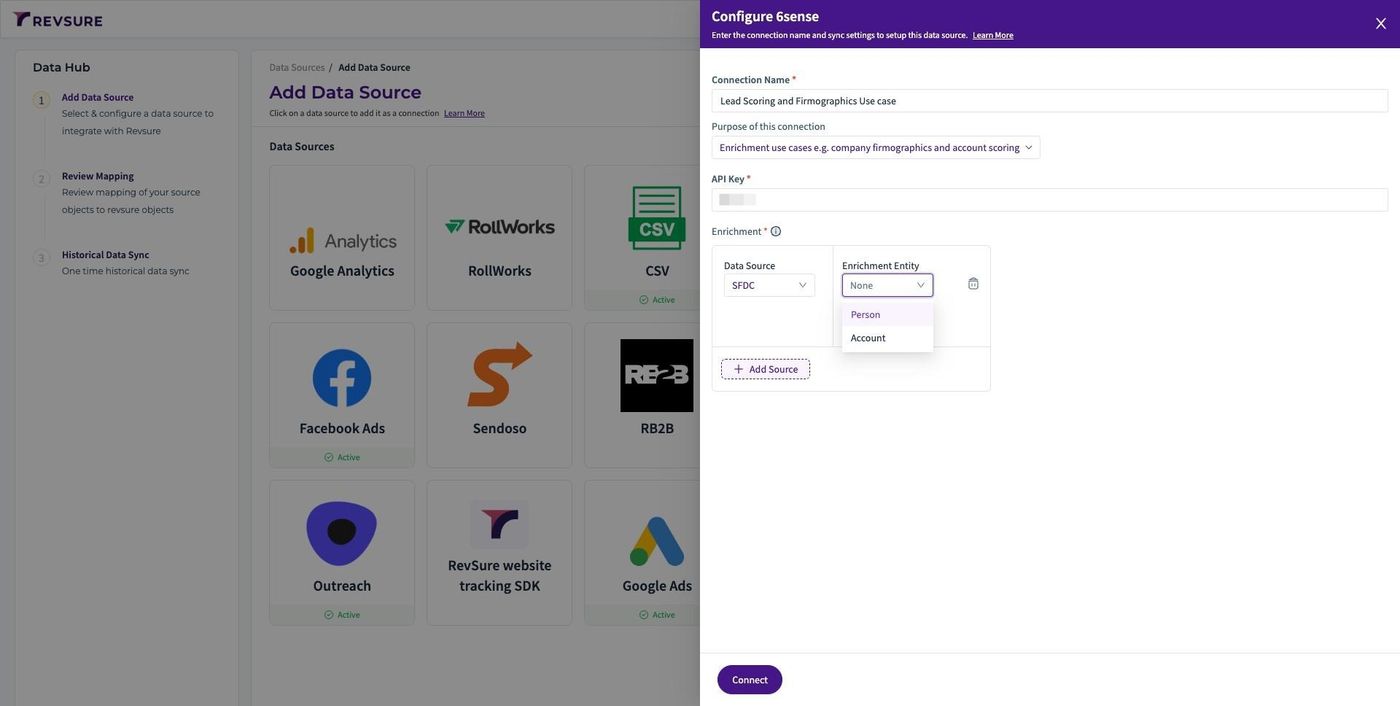
RevSure 6sense Lead Scoring & Firmographics Enrichment Integration Implementation Guide (figure 6)

8. Select Email for enrichment Input. This will tell which 6sense field input are we mapping
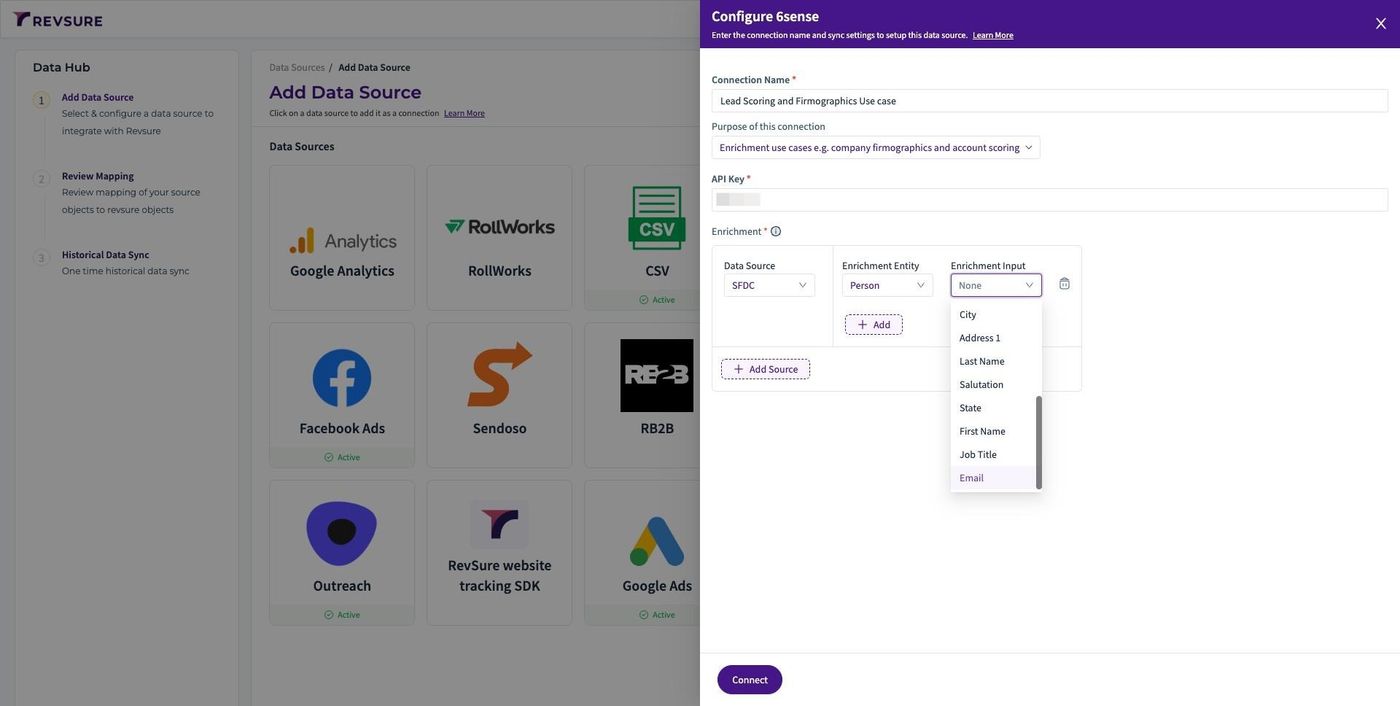
RevSure 6sense Lead Scoring & Firmographics Enrichment Integration Implementation Guide (figure 7)

9. Select Email for Enrichment Value. This will tell which RevSure data source attribute should be mapped to 6sense field for enrichment
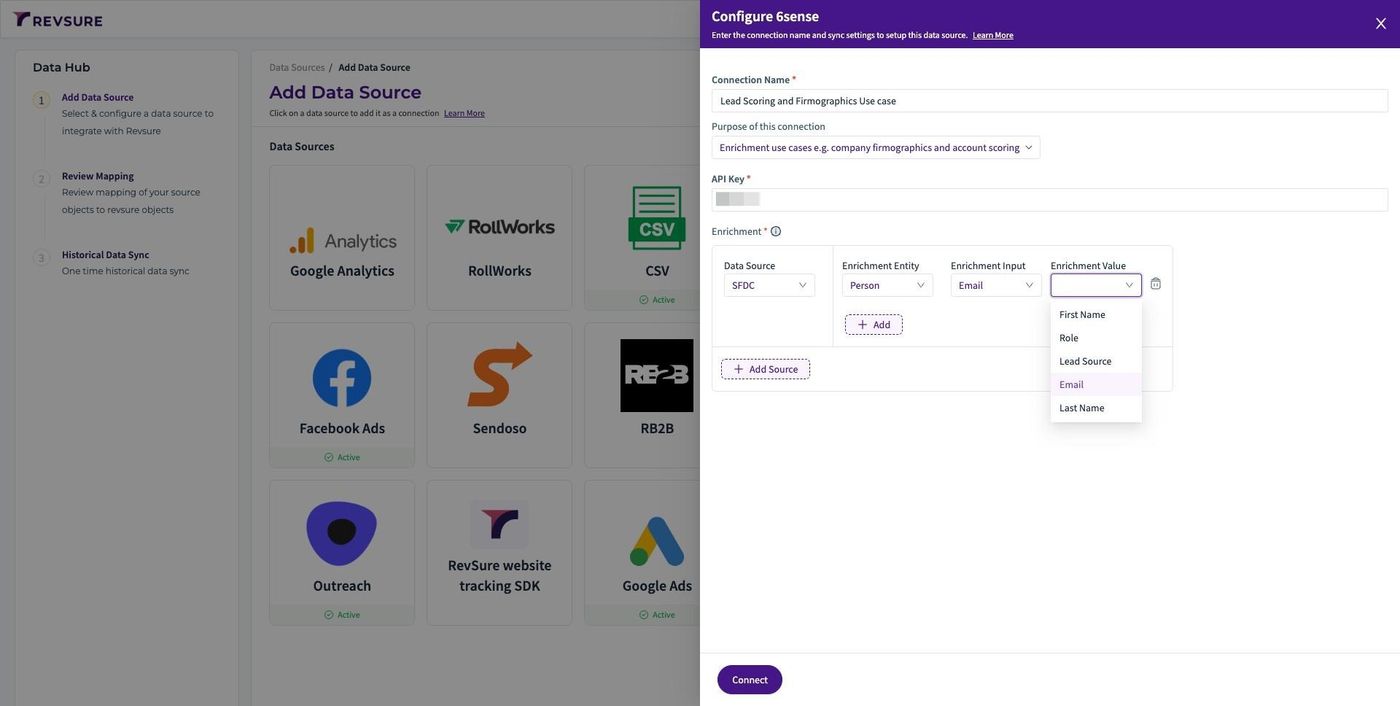
RevSure 6sense Lead Scoring & Firmographics Enrichment Integration Implementation Guide (figure 8)

10. Click "Connect"

RevSure 6sense Lead Scoring & Firmographics Enrichment Integration Implementation Guide (figure 9)

11. Click "CONFIRM MAPPING" to confirm mapping
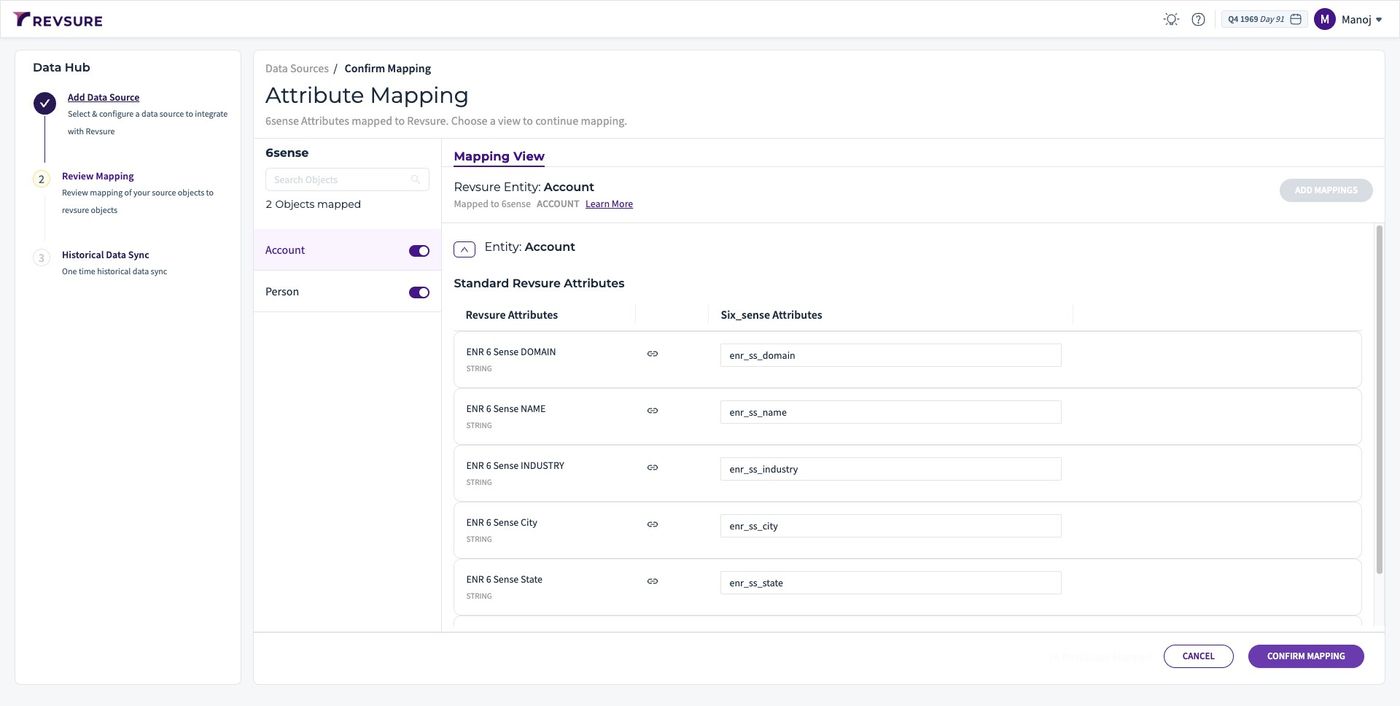
RevSure 6sense Lead Scoring & Firmographics Enrichment Integration Implementation Guide (figure 10)
Ready when your stack is

Still stuck? Bring it to the session

A RevSure engineer walks your exact setup on a 30-minute working session.