Product Release
January 2025 Release: Elevate Your Data, Automate Your Insights
On this page
This release includes:
- December '24 Release Highlights
- Reli Chatbot into the Platform
- Reverse ETL – Write Back from RevSure to Snowflake
- Restricted Access for Public Views
December 2024 Product Updates
- Enhanced Date Filters in Demand Generation Effectiveness – Improved filtering options allow better control over campaign engagement metrics, including customizable attribution lookback windows.
- Multivariate Causal Impact Analysis – A new widget enables advanced pre-post analysis, allowing users to assess the impact of multiple marketing and GTM interventions with enhanced data visualization.
- Comprehensive Engagement Tracking & Reporting – Expanded tracking capabilities centralize all engagements in a single table and introduce account-level engagement analysis within BI charts.
Check it out here.
Reli Chatbot: Now Integrated into the RevSure Platform
Our Gen AI-powered chatbot, Reli, is no longer just a Slack feature—it’s now seamlessly available within the RevSure platform.
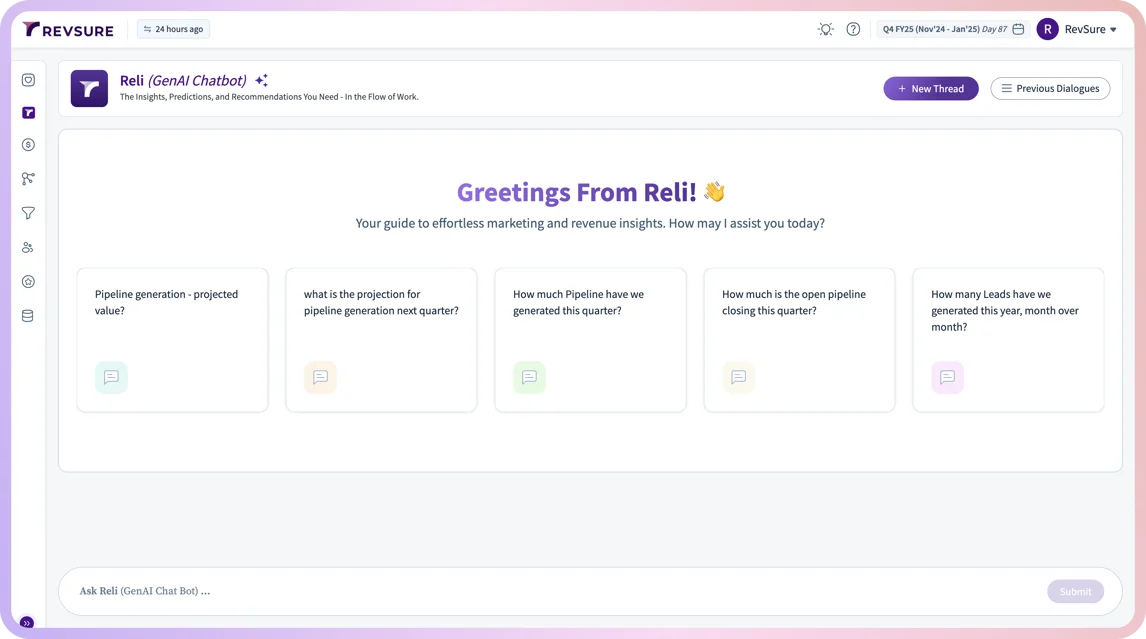
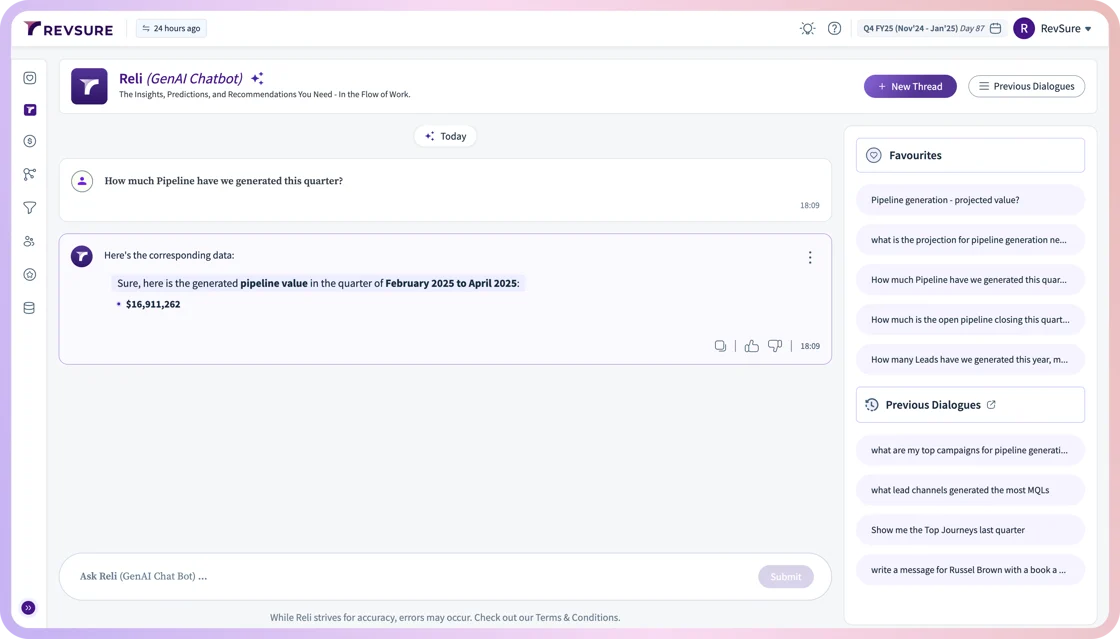
- How to Access: Click the 'Ask Reli' button in the left navigation bar to start interacting.
- What It Does: Get instant answers to your most pressing questions directly within the platform.
- Enable Reli: If Reli is not yet enabled for your account, reach out to cs@revsure.ai to activate it.
Reverse ETL – Write Back from RevSure to Snowflake
A highly requested feature is here. You can now write RevSure's entity tables back to Snowflake, making reporting and data consolidation easier than ever.
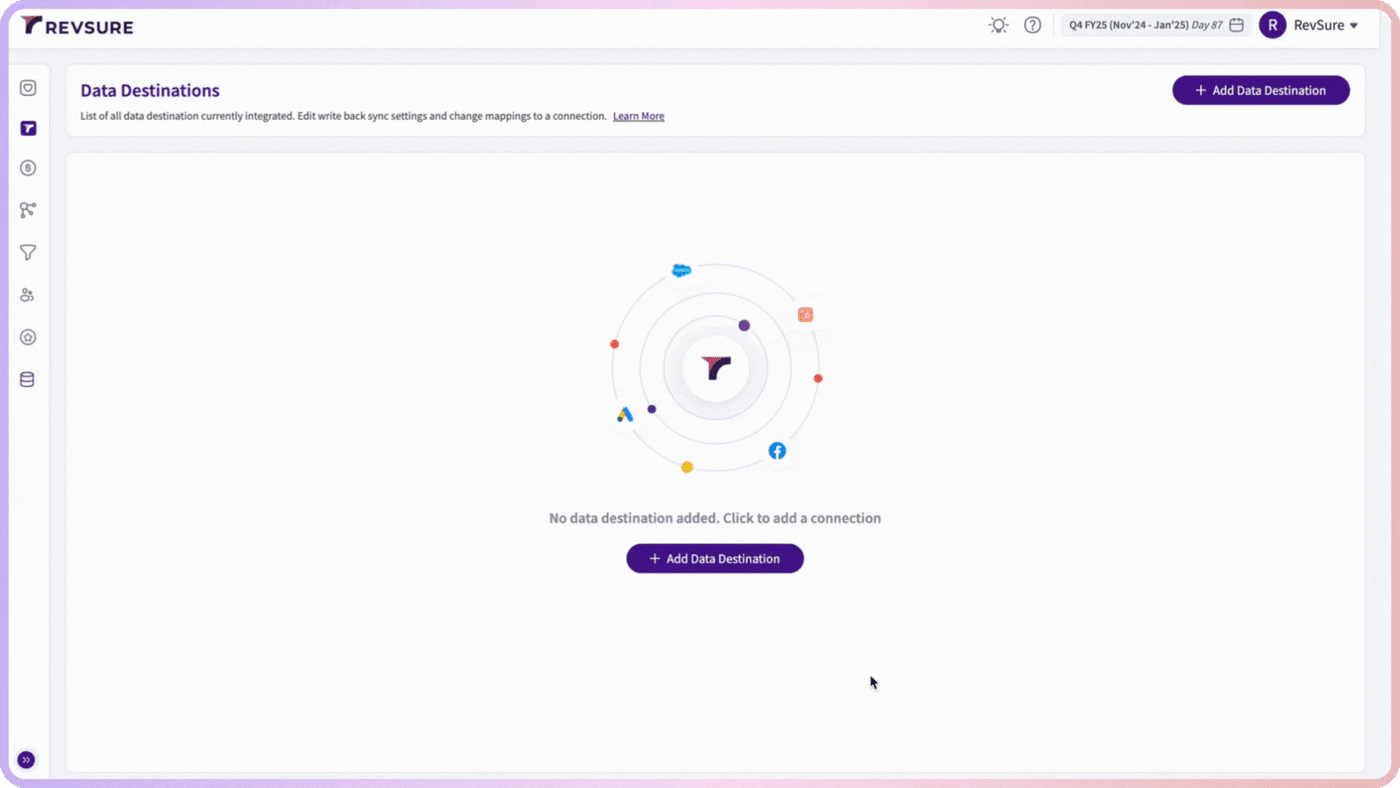
- How It Works: Create workflows to send tables from RevSure to your Snowflake data lake.
- Customization: Choose to write back all columns or only those relevant to your needs.
- Setup: Configure your Snowflake connection under "Data Hub" > "Data Destinations".
Restricted Access for Public Views
Not everyone on your team needs access to every public view? We’ve got you covered.
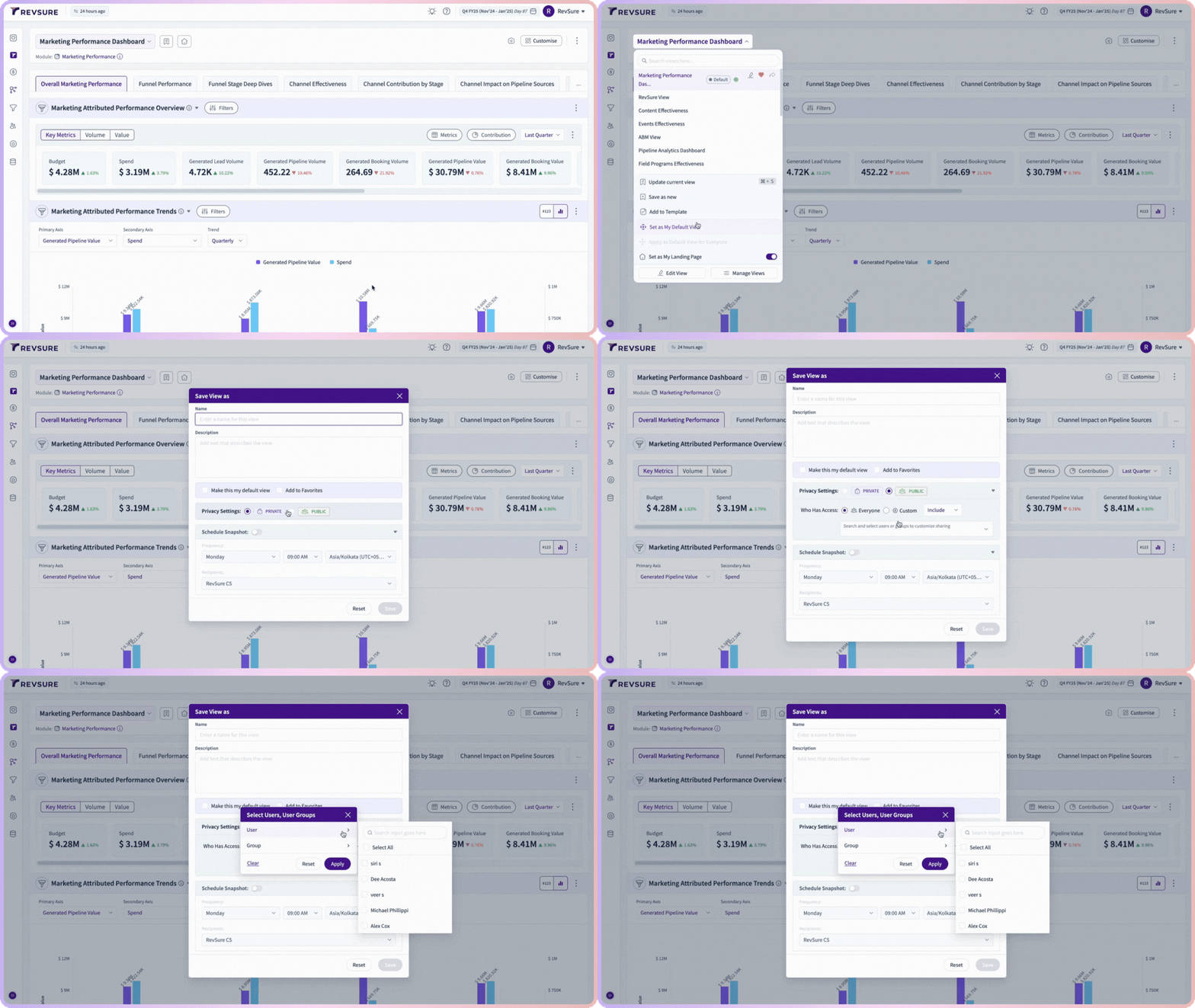
- Enhanced Control: Admins can now enable or disable access to specific views for users or groups.
- Public vs. Private:
- Public Views: Now manageable with controlled access.
- Private Views: Remain accessible only to the creator.
- How to Use: While creating a view, simply choose between granting access to all users or a custom group.
Need assistance or a walkthrough of these features? Our team is here to help—reach out to cs@revsure.ai. Here’s to a smarter, more efficient 2025 with RevSure!