April 2026 Product Release: Agentic AI, Meeting Intelligence & Unified GTM Execution
On this page
April builds on RevSure’s foundation of unified GTM intelligence by improving how insights are aligned, buying signals are captured, and data is activated across execution channels. These updates are designed to reduce fragmented analysis, deepen visibility into marketing and sales impact, and enable teams to move from insight to action with greater speed and precision.
Explore what’s new this month:
- LinkedIn Audience Writeback Agent
- Meeting Intelligence (Lead-Level Signals & Summary)
- Global Filters
- Marketing Attribution Trends Widget
- Account Tags
- Databricks Data Source
- AI Summary for Top Factors
- Demand Generation Effectiveness Widget – Metric Tags
What’s New This Month
Agentic AI: LinkedIn Audience Writeback Agent
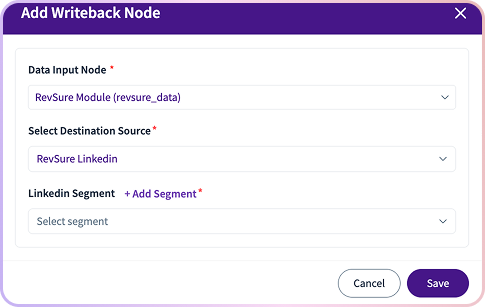
RevSure introduces a LinkedIn Audience Writeback agent, enabling direct activation of audience segments into LinkedIn Matched Audiences.
Teams can create and update audience segments without manual exports, ensuring targeting stays continuously aligned with RevSure data. As audience conditions change, segments are automatically refreshed—keeping campaigns accurate and up to date.
This allows GTM teams to move from insight to execution instantly, without switching tools or relying on manual workflows.
Meeting Intelligence: Lead-Level Signals & Summary
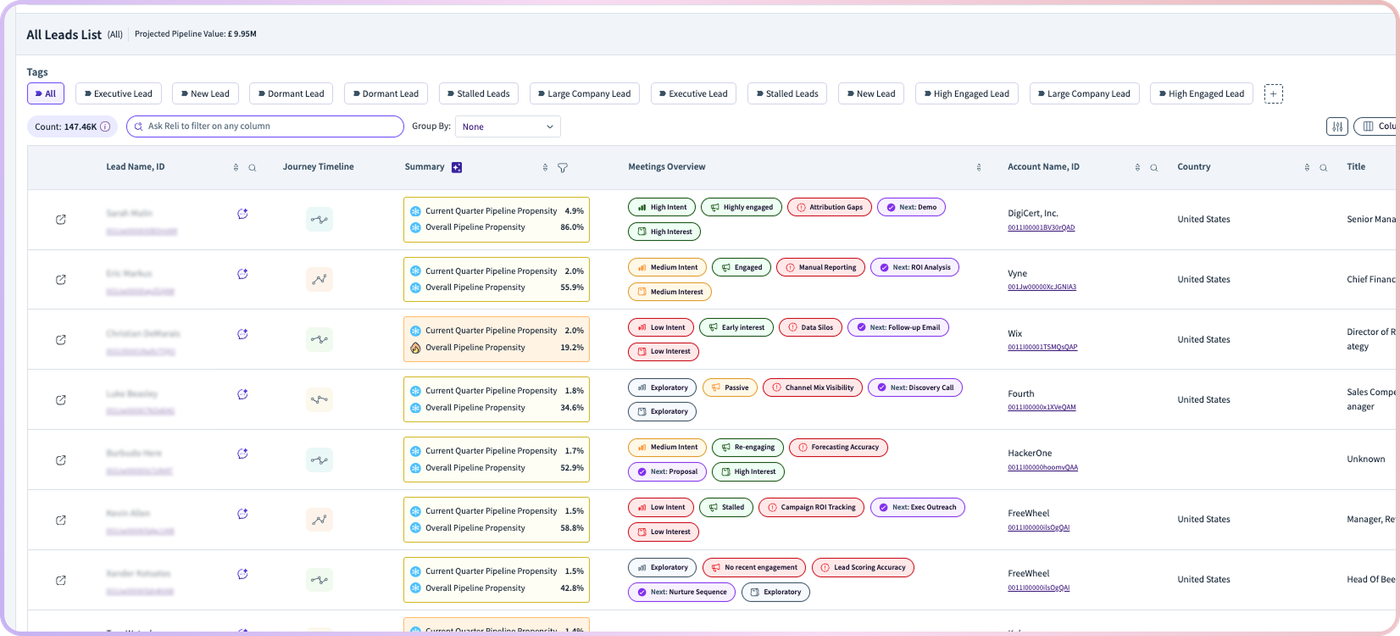
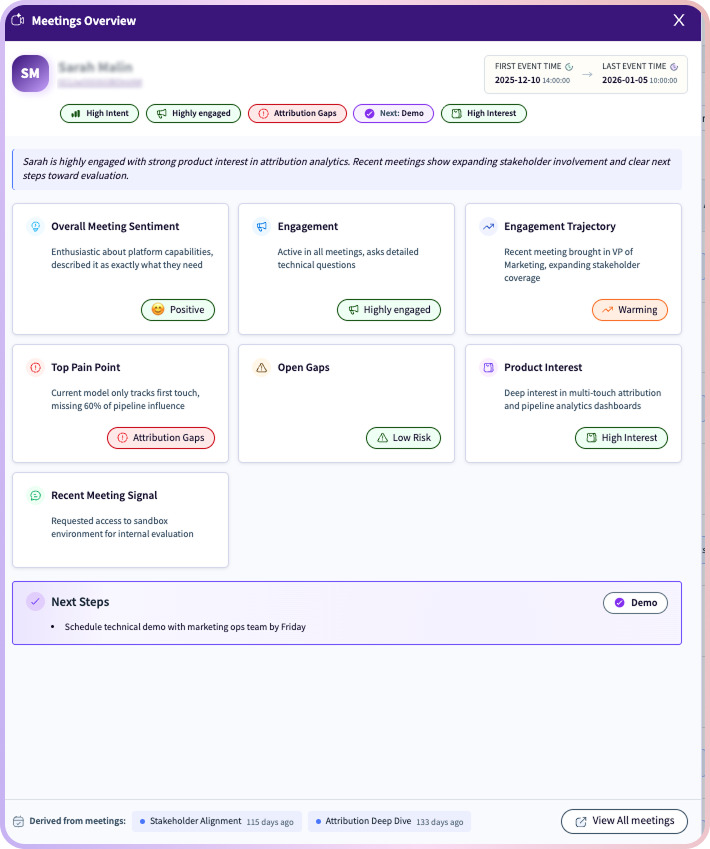
RevSure transforms meeting conversations into structured, actionable insights directly within the Leads view.
All meetings across a lead are analyzed and synthesized into a continuously updated summary, including engagement level, key pain points, product interest, sentiment, and next steps. As new meetings happen, insights are automatically refreshed.
Reps can quickly understand who to prioritize and how to engage, while managers gain real-time visibility into pipeline momentum without manual updates.
Global Filters
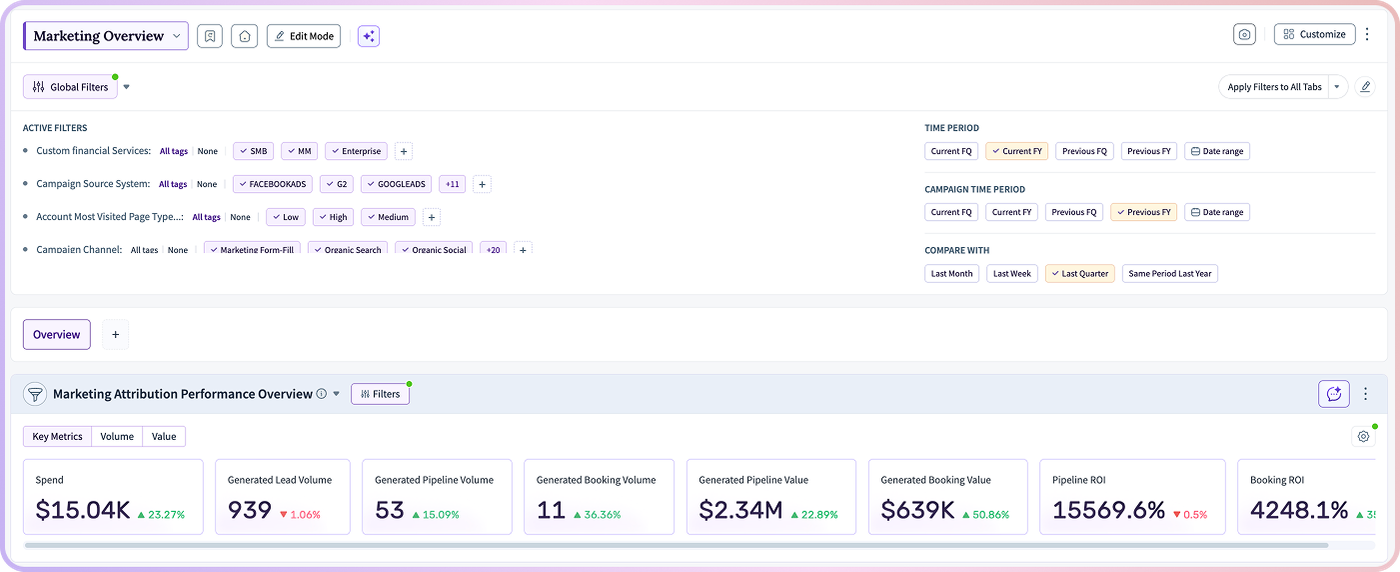
Global Filters bring consistency across dashboards and reports by allowing users to apply filters once and reflect them across all views.
This eliminates repetitive configuration, ensures aligned analysis across teams, and enables faster, more reliable segmentation of performance data.
To access:Dashboard → Customize → Enable Global Filter
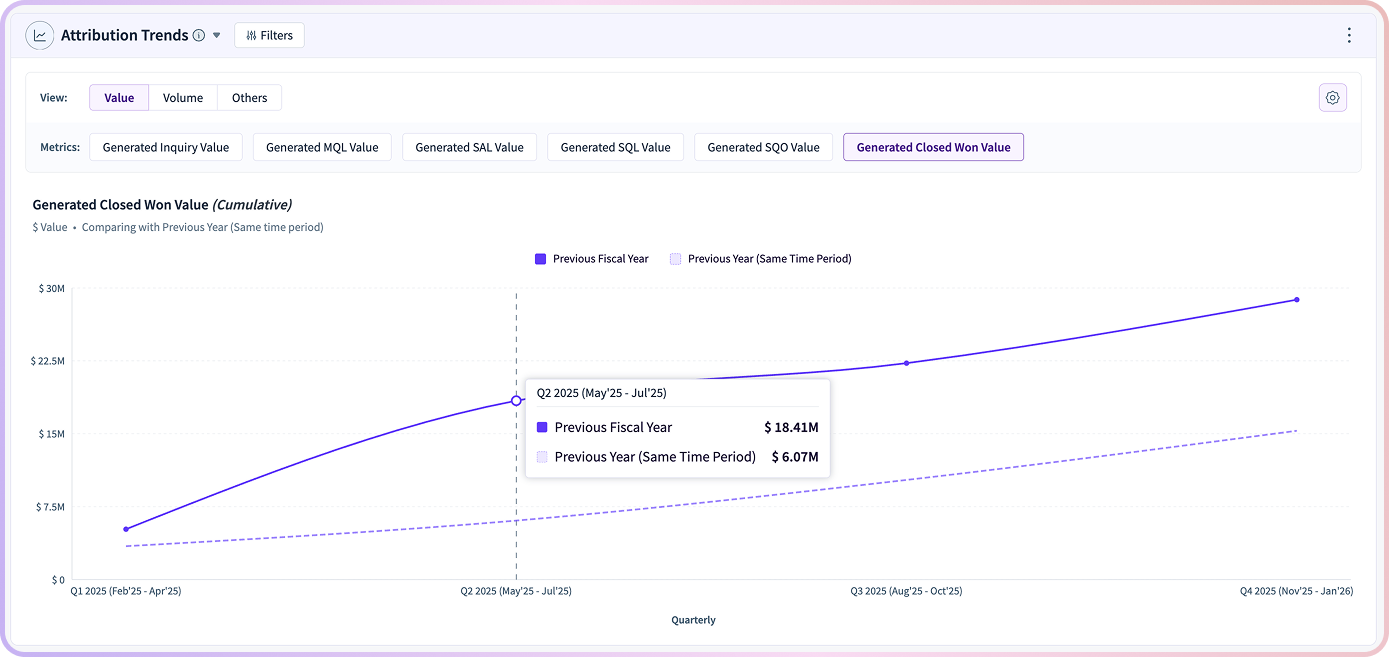
Marketing Attribution Trends Widget
The Attribution Trends Widget provides a time-based view of how channels and campaigns contribute to pipeline and revenue.
Teams can track attribution shifts, identify high-performing channels, and understand long-term marketing impact—enabling more informed budget allocation and strategic planning.
To access:Dashboard → Widgets → Attribution Trends
Account Tags
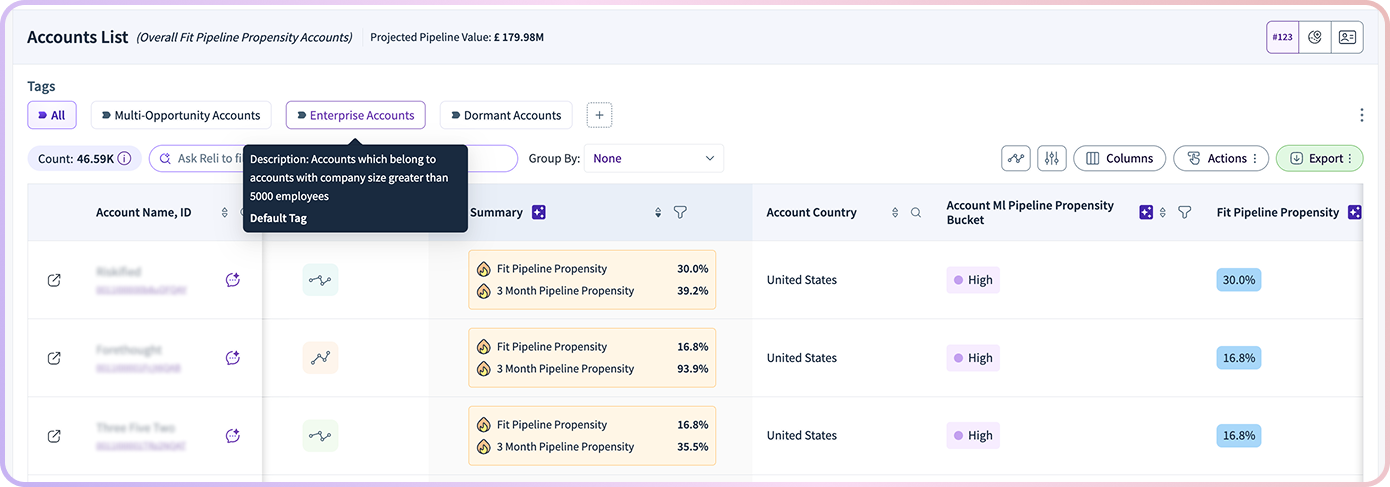
Account Tags enable flexible, business-defined segmentation of accounts.
Teams can apply custom labels based on their own logic, prioritize key segments, and drive more targeted GTM actions—improving visibility and alignment across teams.
To access:Modules → Account Prioritization
Databricks as a Data Source
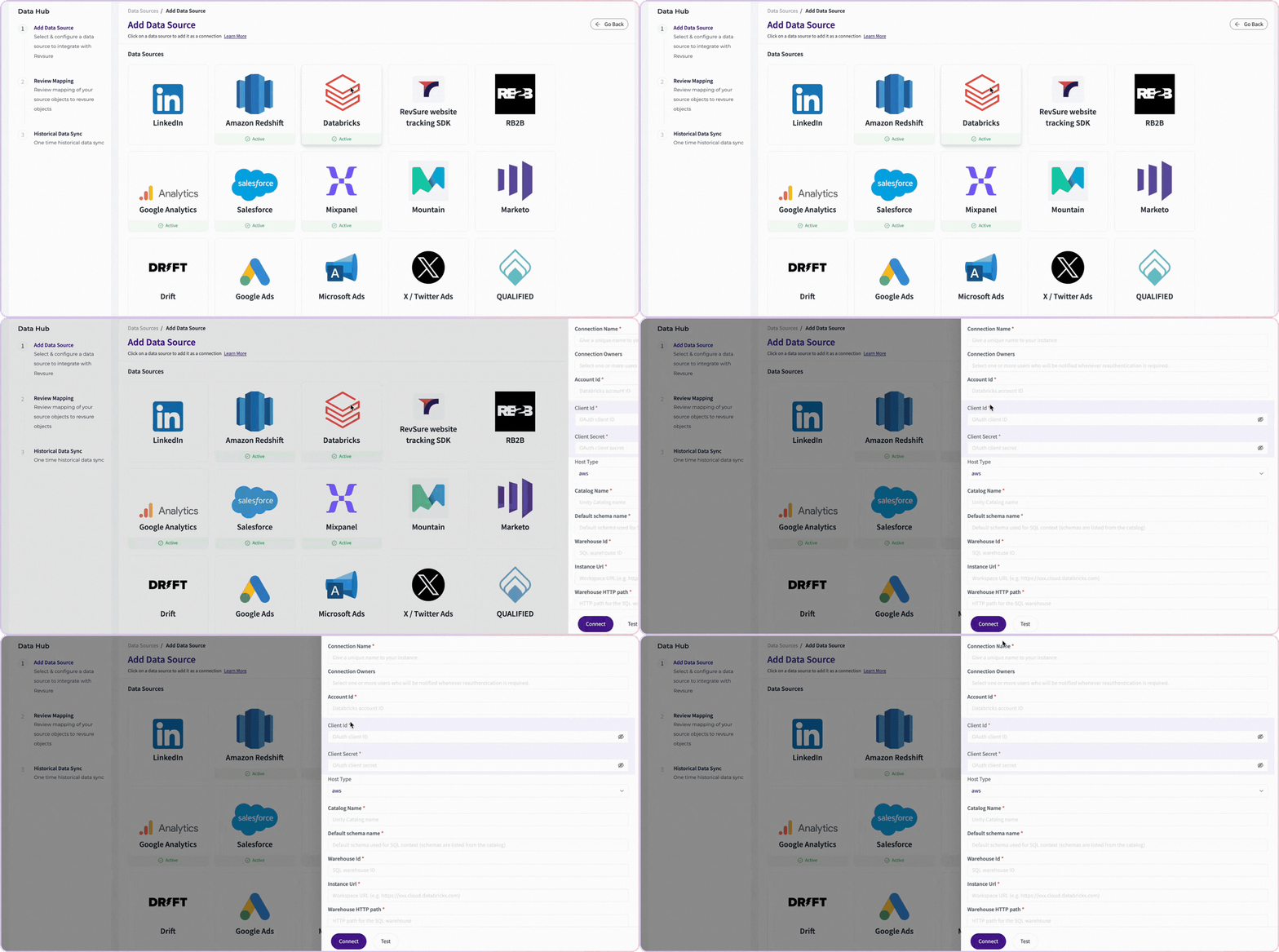
RevSure now supports Databricks, enabling ingestion of large-scale data directly into the platform.
Teams can unify warehouse data with GTM signals to power deeper analytics, improve data completeness, and generate more comprehensive revenue insights.
To access:Data Hub → Data Source → Add New Data Source → Databricks
Other Enhancements
AI Summary for Top Factors
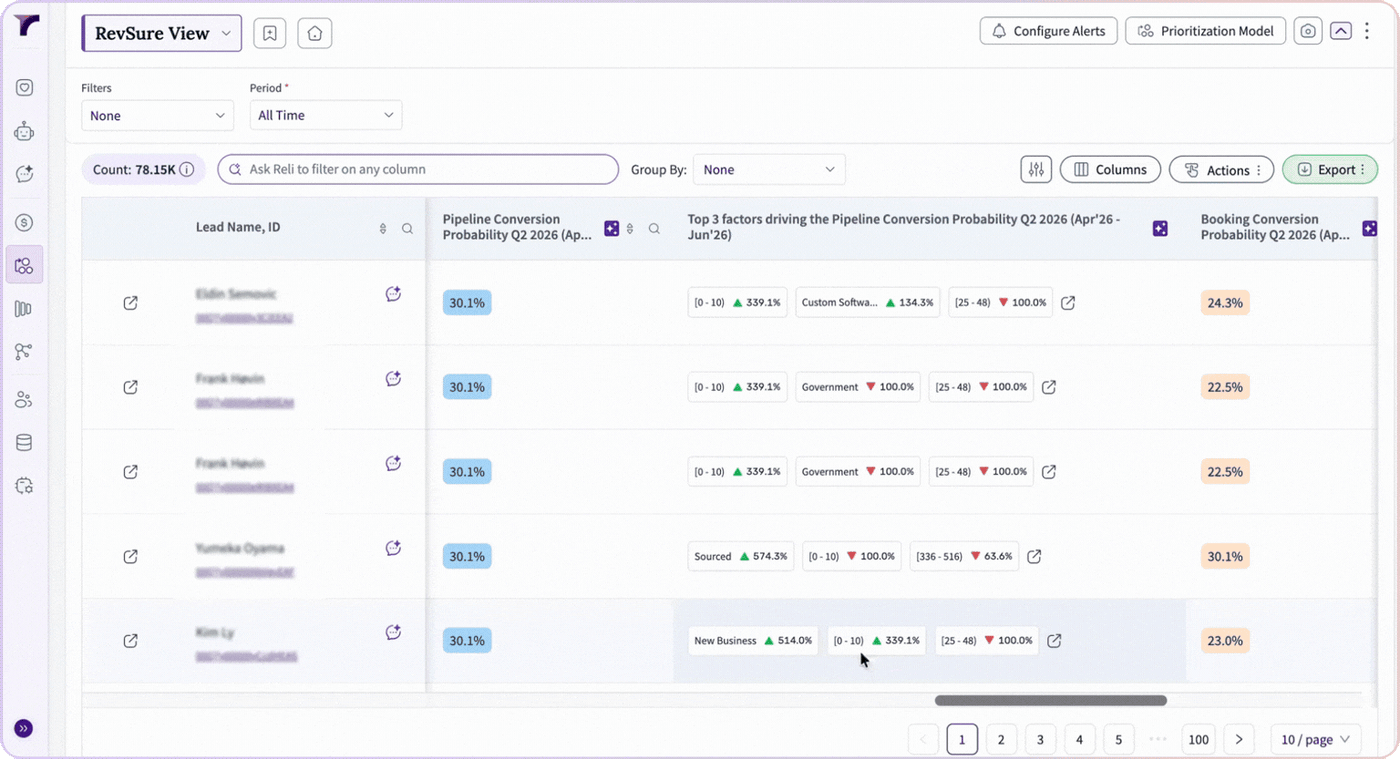
RevSure introduces an AI-powered Summary tab within prioritization modules, highlighting the key factors driving pipeline and booking conversion.
It explains performance drivers, surfaces positive and negative influences, and recommends next steps—helping teams act quickly on what matters most.
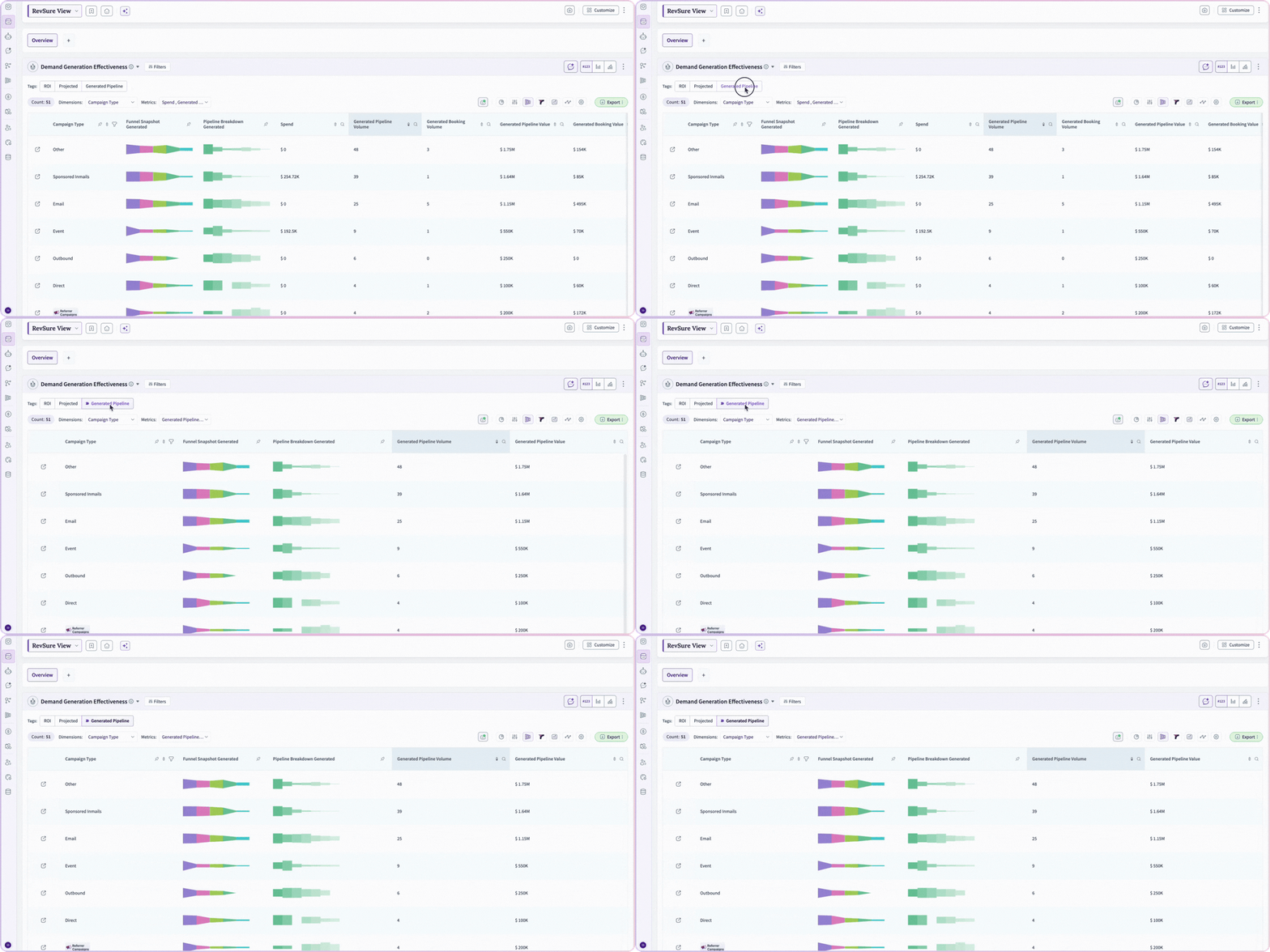
Demand Generation Effectiveness Widget – Metric Tags
The Demand Generation Effectiveness Widget now supports Metric Tags, allowing teams to group and categorize KPIs based on business priorities.
This improves reporting clarity, standardizes analysis, and adds flexibility to how demand performance is measured and communicated.
To access:Dashboard → DGE Widget → Metrics → Manage Groups
Upcoming Features
- Buyer Persona Context Layer – Deeper persona-level context for stakeholder analysis
- Engagement Dimensions (Signals) – Richer behavioral insights across buyer interactions
- GA4 Metrics – Enhanced visibility into website performance and journeys
- Top Google Search Console Queries – Insights into SEO-driven pipeline and demand
Curious How These Features Can Transform GTM Execution?
Request a personalized walkthrough with the RevSure team and see how RevSure helps you move from fragmented insights to coordinated, data-driven execution across your entire revenue engine.