June 2026 Product Release: Reli in Slack, Buying Signals and Agentic Branching
On this page
RevSure continues its evolution into the AI-powered GTM operating system, bringing intelligence directly into the workflows where teams collaborate, analyze, and take action. The June release expands Reli's agentic capabilities with a Slack app, playbook-driven recommendations, and branching orchestration, introduces two new buyer signals in Job Changes and Chat Signals, and strengthens enterprise administration and analysis so GTM teams can move faster and make smarter revenue decisions with greater confidence.
What's New This Month
Reli In Slack
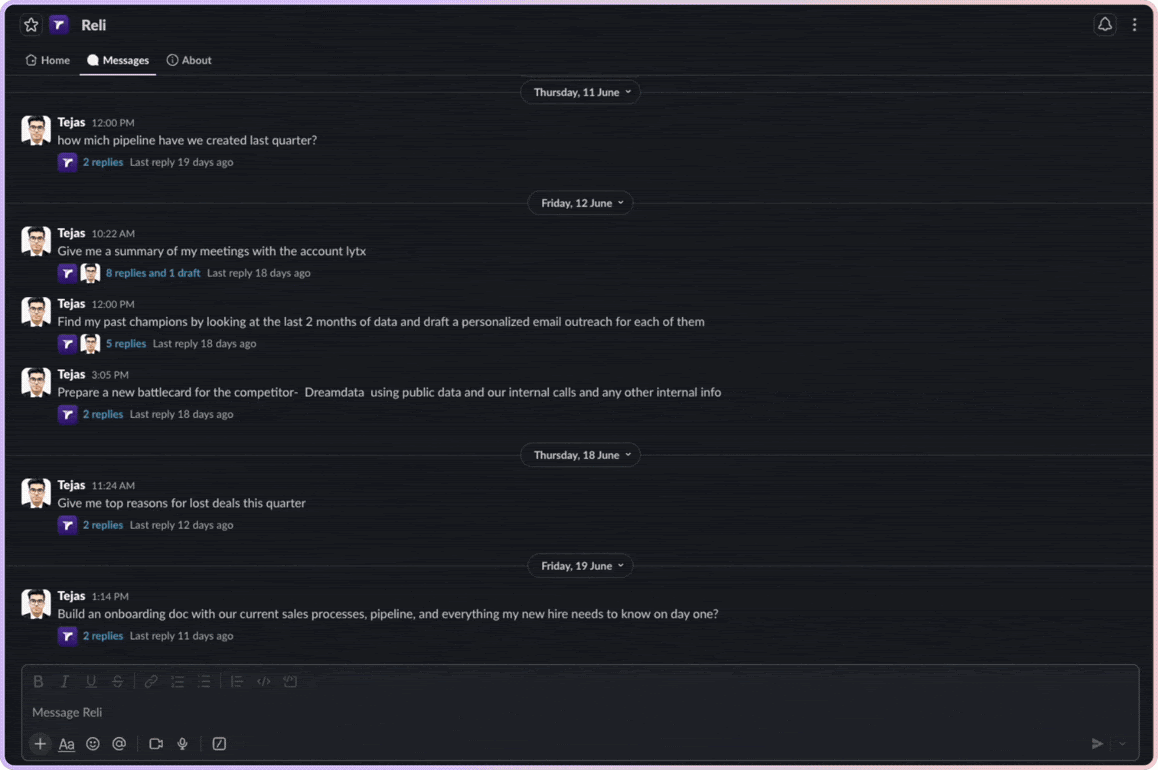
The Reli in Slack App brings RevSure's generative AI assistant, its agents, and the context layer into the channel where your revenue team already works. Ask a question in plain language and get an answer built from your own funnel data, with the same permissioning and governance that applies inside the product. All RevSure data is accessible with a prompt to create actionable use cases like pre-meeting briefs, deep research, and outreach.
Agentic Orchestration Branching
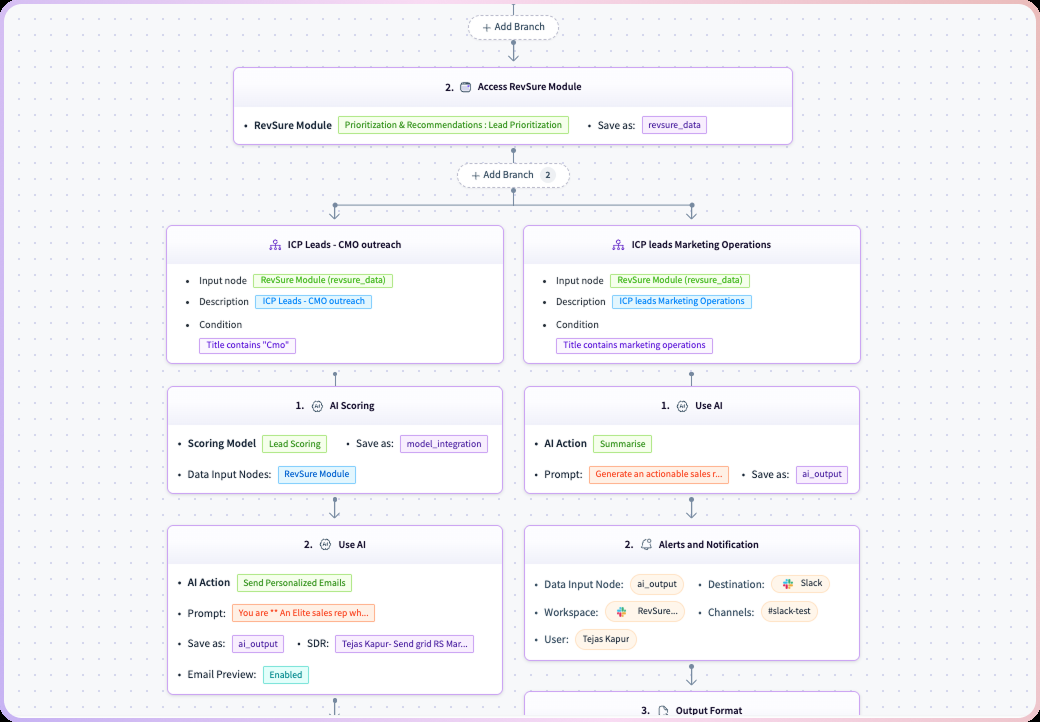
The Agent Builder now supports branching logic, so flows can route execution down different paths based on conditions rather than running as a single linear sequence. A high-intent lead can branch to SDR outreach, while a lead that has been cold for thirty days branches to a nurture sequence. Teams can build orchestration that mirrors how GTM decisions actually get made.
Configurable Playbooks
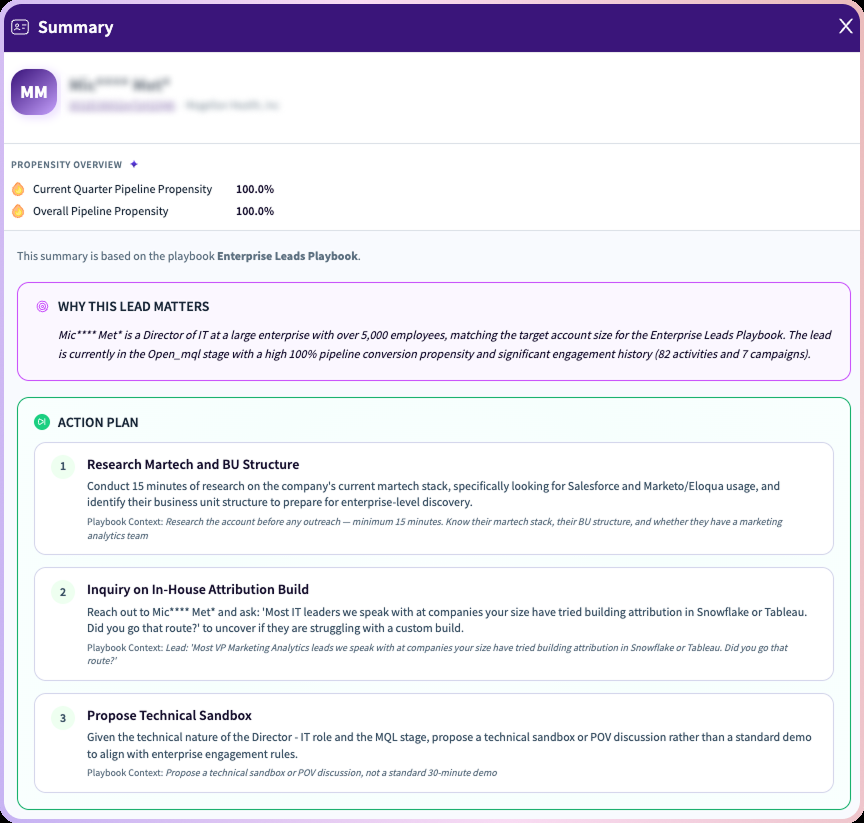
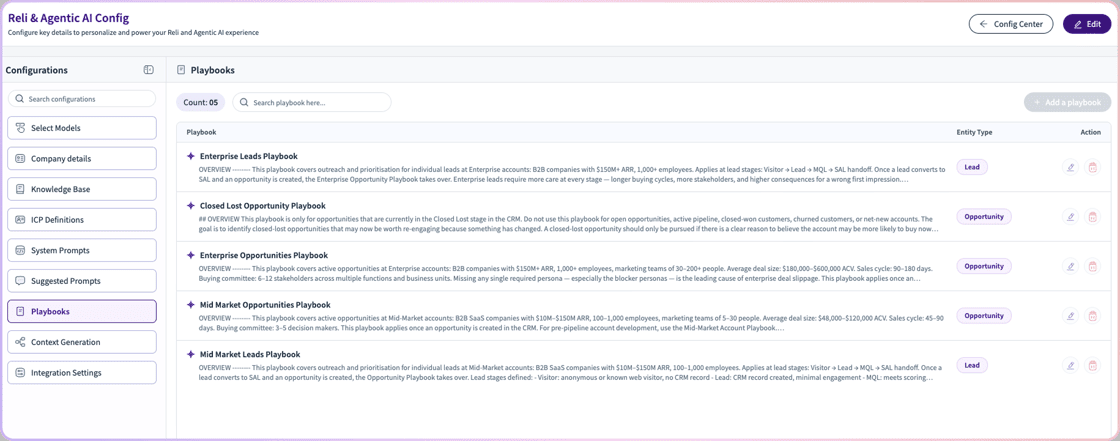
Reli summaries now arrive with playbook-driven recommendations enriched by full funnel context across journeys and signals. A new configuration screen lets teams define and manage playbook rules directly, which turns a generic summary into a specific next action against a specific lead, account, or opportunity. Less generic insight, more clarity on exactly what to do next.
Job Change Signals
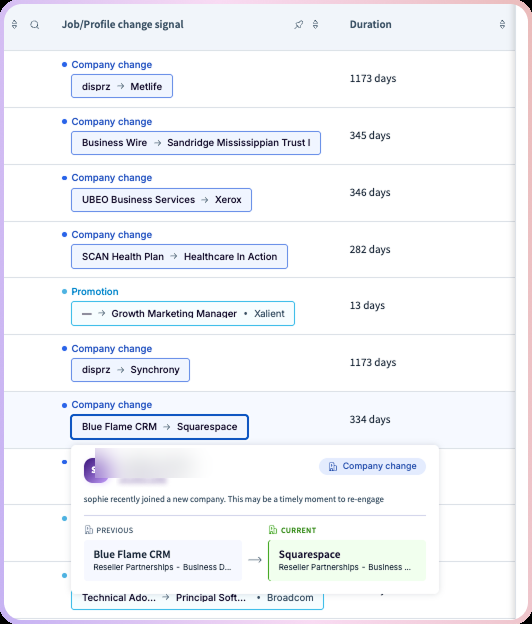
New signals flag promotions and company changes the moment they happen. Filter for the moves that matter, hand them off to the right agent, and write the update straight back to your CRM. When a champion moves, an account loses an internal advocate and a new account gains a contact who already knows your product, and now the record follows them instead of quietly going stale.
Chat Signals
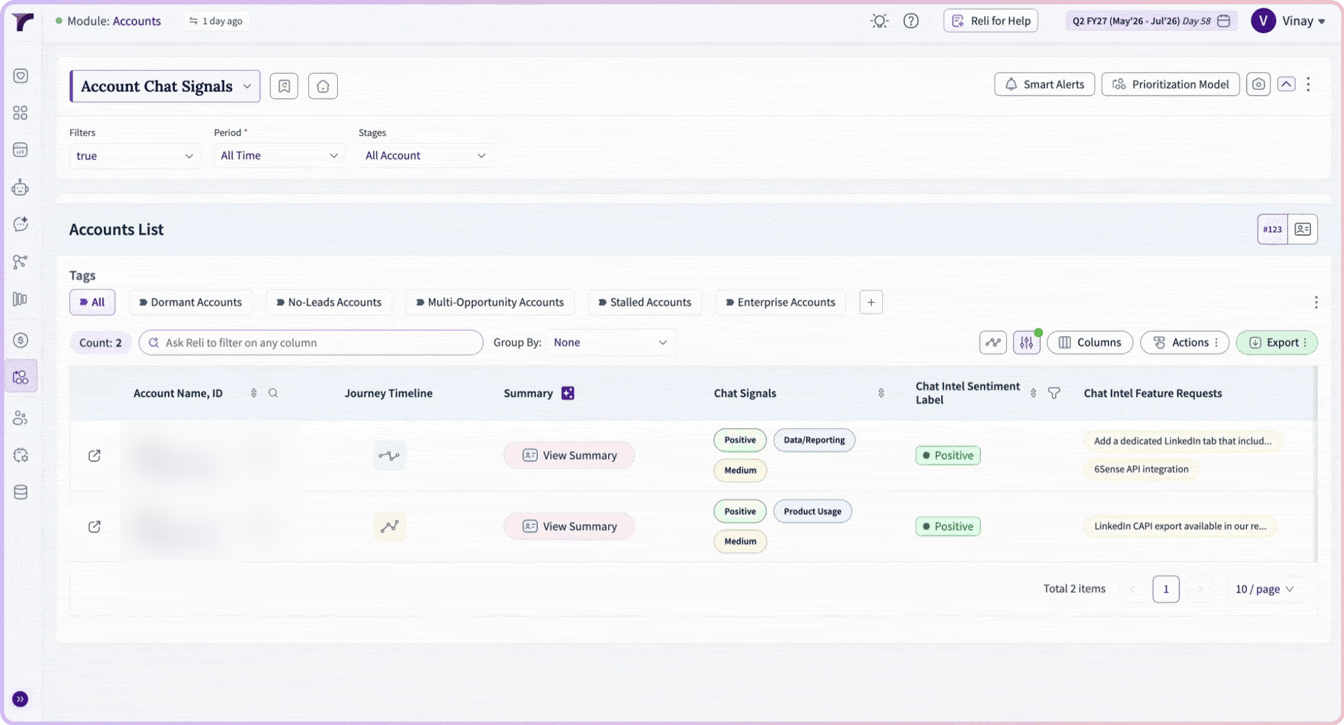
RevSure now surfaces Chat Signals at both the lead and account level, converting Slack and chat conversations into structured GTM intelligence. Teams can view sentiment, intent, topics, product interests, customer questions, feature requests, and objections directly inside RevSure, so Sales, Marketing, Customer Success, and RevOps get a clearer view of what prospects and customers are discussing without reading every thread.
Six New MCP Tools
The RevSure MCP server gained a meaningful expansion for teams pointing an AI assistant at their revenue data. New in this release:
- Bookings and Pipeline Trends: track bookings, pipeline creation, and pipeline progression
- Deep Funnel Attribution: see where pipeline is generated and where it leaks, broken down by stage
- Single Start Stage Cohort Views: stage, trend, and movement views for cohort-based analysis
- Meeting Overviews: pull meeting summaries without leaving the chat
- Segmented Funnel Metrics: split any funnel metric by dimension with new split_by support
- Open Pipeline by Close Quarter: see open pipeline broken out by when it is expected to close
Also shipped: PII masking by default, faster server responses, clearer error messages, a memory layer that carries context between turns, and RevSure Skills v1, a foundation for more structured, repeatable workflows. Metrics and configurable options are now fetched dynamically, so what the assistant sees always reflects your actual data.
SCIM User Provisioning
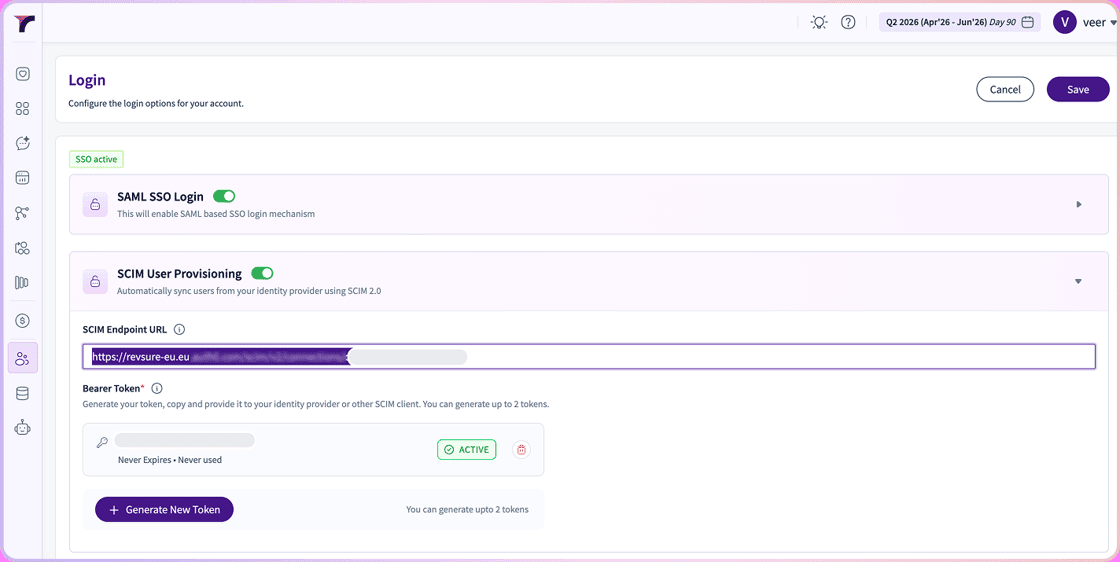
RevSure now supports SCIM user provisioning, so enterprise administrators can automatically provision, update, and de-provision users from their identity provider. Access follows the org chart without filing a ticket, and a departing employee loses access when HR closes their record. It is unglamorous, and one of the most common blockers in enterprise security review.
To access:
Settings → Login → SCIM User Provisioning
Demand Generation Effectiveness: Time Period Pivoting
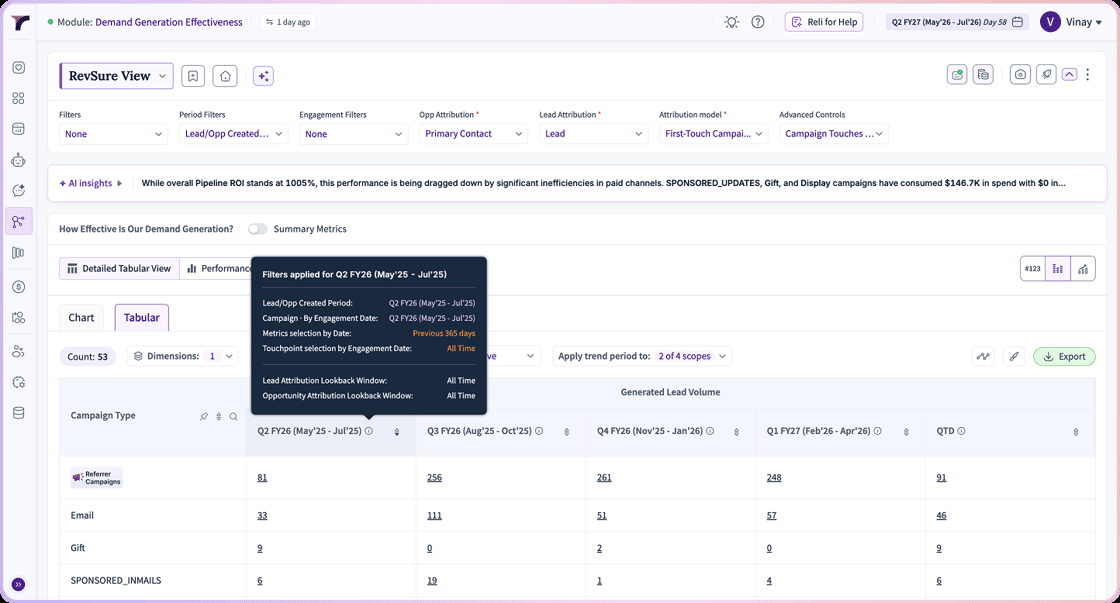
Demand Generation Effectiveness introduces Apply Trend Period To, which lets users control exactly which analytical scopes use the selected trend period. Apply the trend period to Lead or Opportunity Created Period, Campaign Selection, Metric Selection by Date, or Touchpoint Selection by Engagement Date independently, while the remaining scopes evaluate across all time. A detailed period breakdown shows what was applied where, which settles arguments about which date range drove which part of a calculation.
Journey Multi Selection View
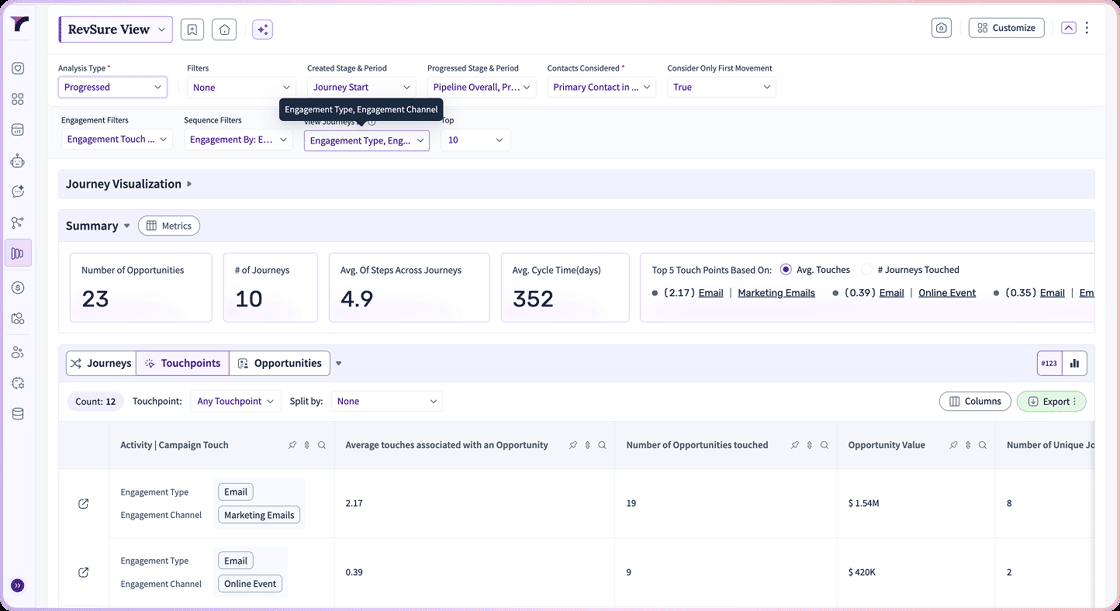
Journey Analytics now supports Multi Selection in View Journey By across both Journey Visualization and the Touchpoints view. Combine dimensions such as Engagement Type, Engagement Channel, Campaign Touch, and Activity Type in one analysis to understand how different interactions influence pipeline progression, and to surface engagement sequences that a single-dimension view flattens out of existence.
Revenue Signals in Slack
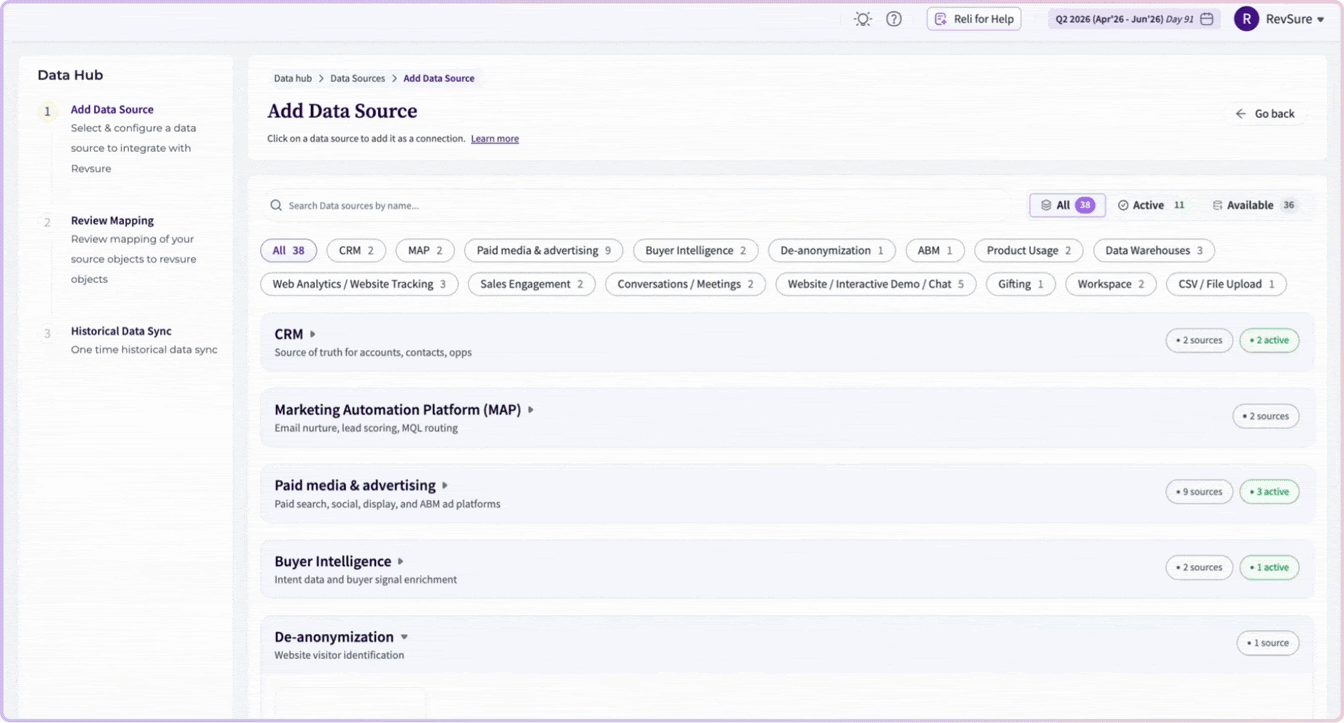
The Slack integration now carries Revenue Signals directly: buying signals, account engagement, pipeline movement, customer health, expansion opportunities, and AI-generated insights, all pushed to the channel rather than waiting for someone to open a dashboard. Push beats pull for anything time-sensitive, because an expansion signal has a short half-life and loses value every day it sits unread.
User Activity Timeline and Usage Insights
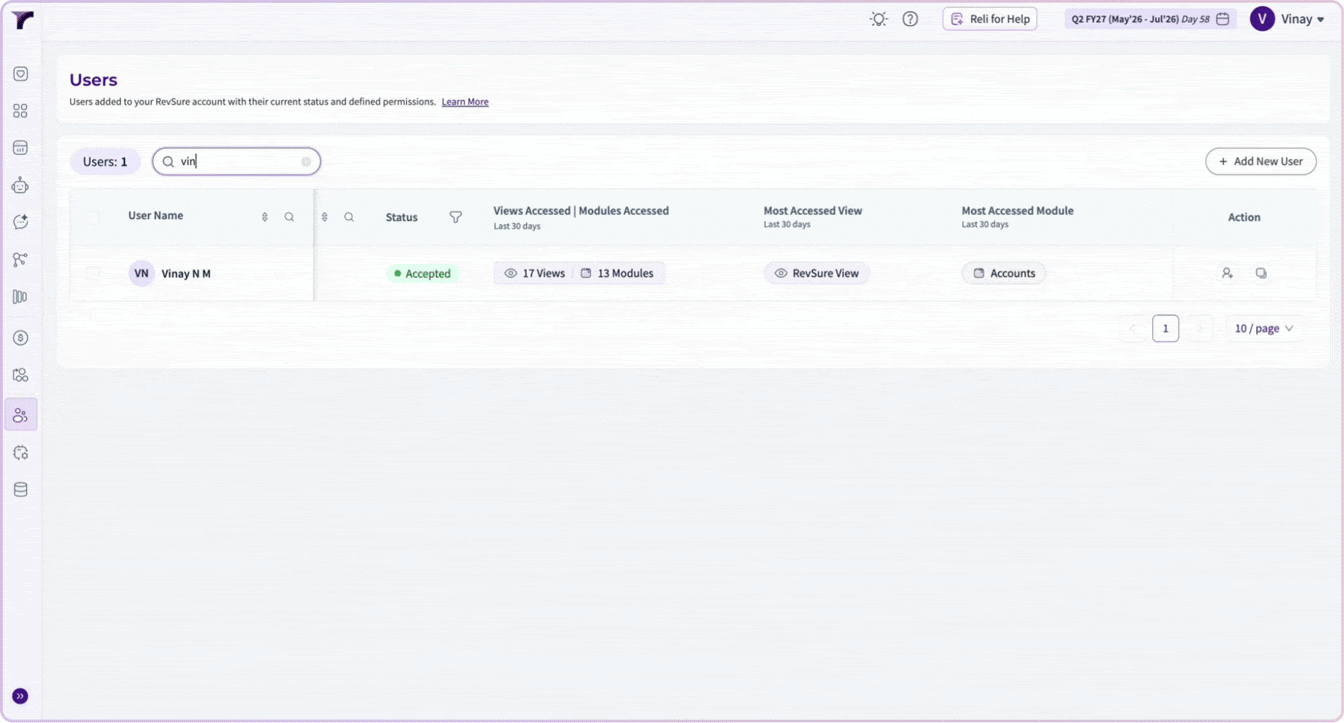
The Users module now includes an Activity Timeline and Usage Insights. The timeline gives a chronological history of modules visited and views accessed, and the Users page summarizes adoption metrics including total views accessed, modules visited, most frequently accessed view, and most used module. This is built for the RevOps leader who needs to know whether a platform is being used before renewal, not after.
Custom Dimensions: Array Support
Custom Dimensions now support array-based fields, so you can build analytical dimensions from multi-value attributes such as technologies, products, interests, and tags. This removes the preprocessing that previously lived outside the platform and expands what custom reporting can express.
Side Panel Drilldowns
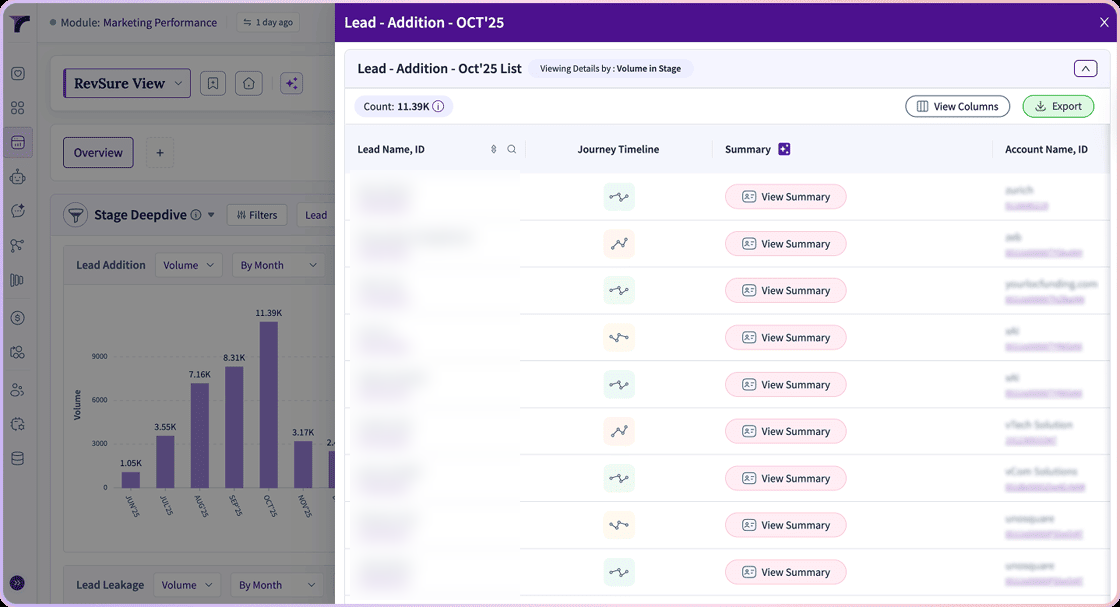
Side panel drilldowns expanded to the Cohort Intelligence, Unified Funnel and Pipeline, and Stage Deep Dive widgets. Click a metric and see the records behind it without leaving the view you were reasoning in, which keeps funnel exploration fast and contextual.
Every item in the June release shortens the distance between something happening in the market and someone acting on it.
Curious How These Features Can Transform GTM Execution?
Request a personalized walkthrough with the RevSure team and see how these new capabilities can help you capture better signals, prioritize effectively, and execute with precision across your revenue engine.