July 2026 Product Release: GTM Plays, Web Monitoring, Agents in MCP and Reli Brief
On this page
An agent that completes one task saves a rep ten minutes. An agent that runs an entire play changes what the team is capable of. RevSure's July 2026 release moves decisively toward the second: agents can now be triggered from outside the product, chained so one agent's output becomes the next one's input, and packaged as named plays that a rep starts with a sentence. Alongside that, Web Monitoring captures buying signals continuously, and Reli Brief delivers a personalized business briefing to Slack or email on a schedule.
What's New This Month
Web Monitoring
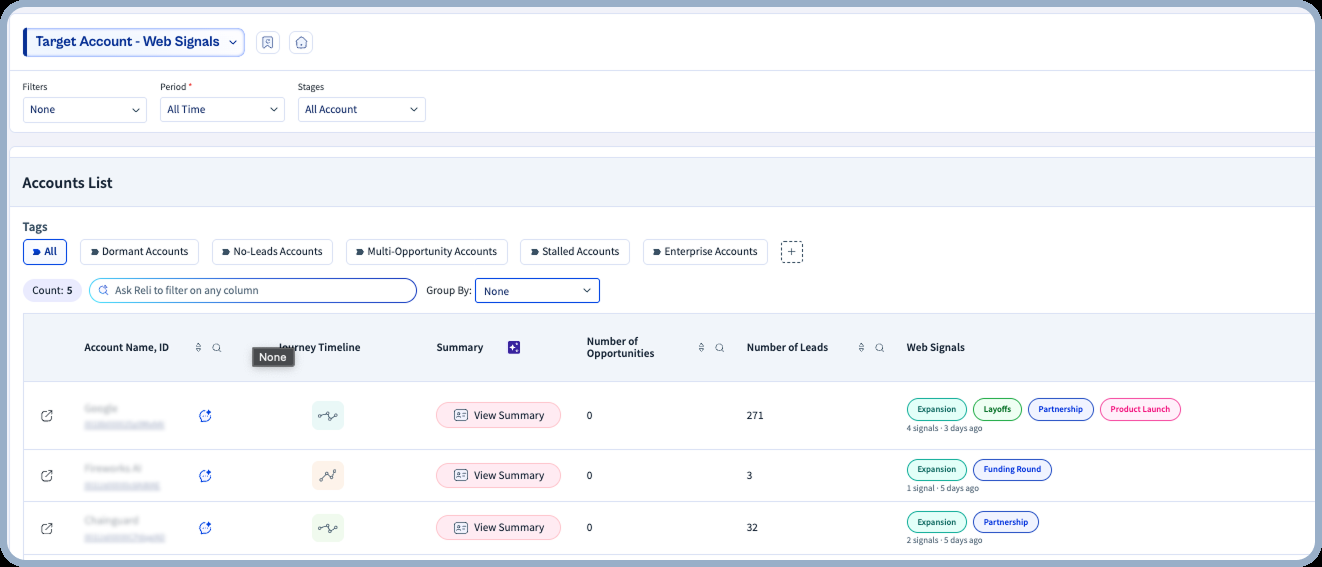
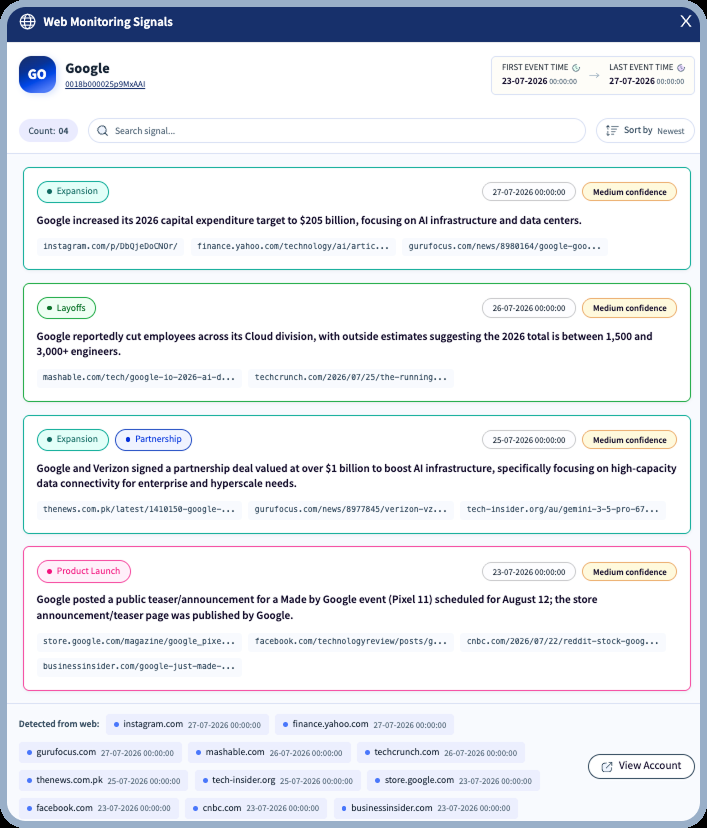
RevSure now monitors external buying signals across your most important leads and accounts, continuously. Configure target lists and track job changes, hiring activity, company news, LinkedIn engagement, website activity, and intent changes. Captured events map automatically into the RevSure data model, so they are available to scoring, prioritization, and agent workflows the moment they land rather than after someone exports a CSV. Continuous capture matters because a signal is worth acting on for a window measured in days.
Agents in MCP: Trigger and Chain
RevSure Agents can now be triggered directly through the RevSure MCP connector. Any tool or AI assistant already connected to RevSure over MCP can start an agent run and receive results in the same session. Four things shipped here:
- Direct invocation: a single MCP tool call, trigger_agent, starts any agent
- Chaining: output from one agent feeds directly into the next within the same workflow, so full funnel orchestration stops requiring a human to carry data between steps
- Action Plans on demand: account-research runs can return a prioritized Action Plan with key contacts, outreach drafts, intent signals, and account-level engagement KPIs
- Status polling: long-running jobs return a run ID immediately and the connector polls until the job finishes before returning the result
Chaining is the structural change. A single agent produces an artifact somebody has to read and act on. Chained agents produce a finished piece of work.
Account Expansion Play
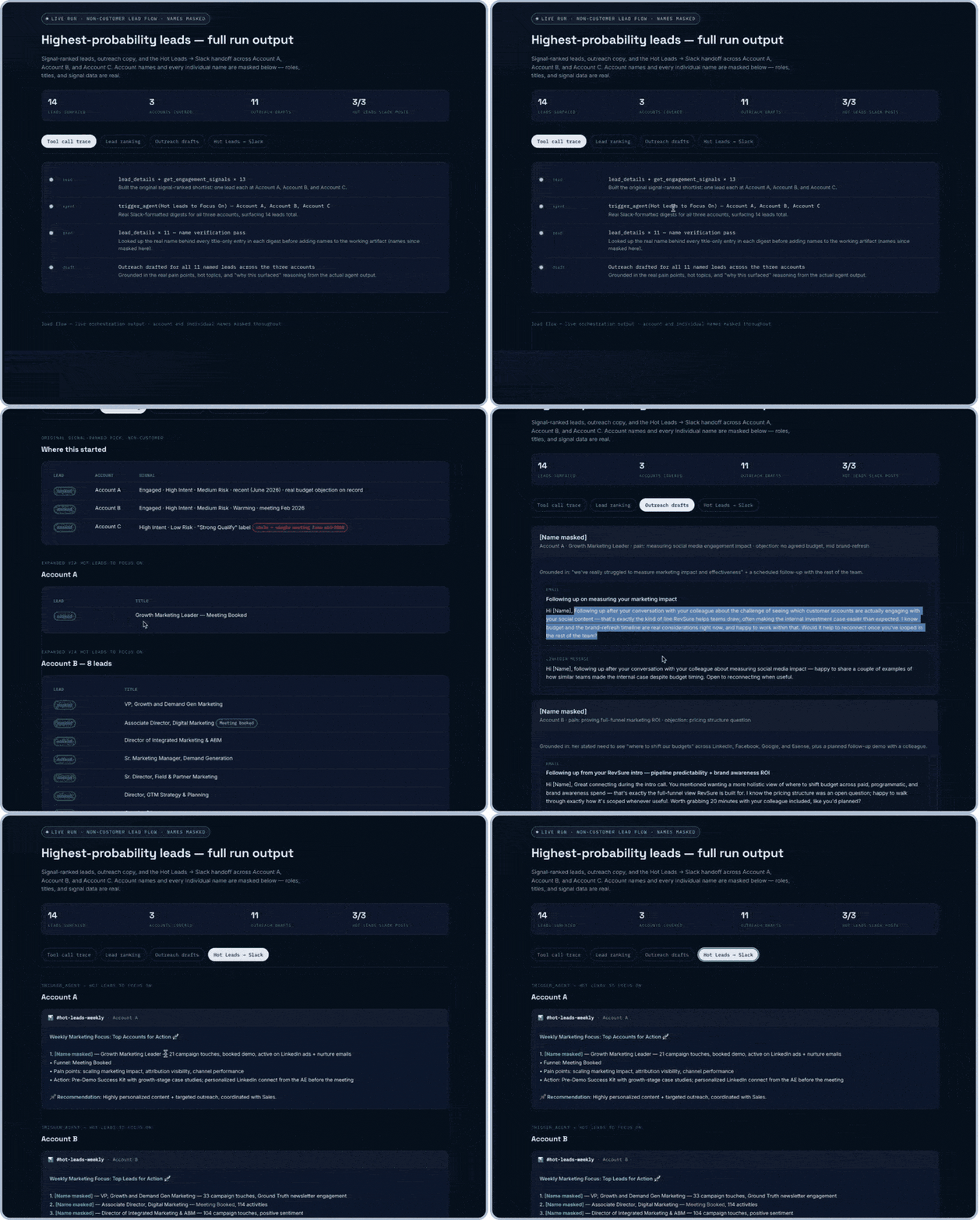
The Account Expansion play turns a single account into full context in one run: verified company research, drafted per-contact outreach, an ICP-matched prospect list, and a Hot Leads handoff into Slack. If the company was acquired or merged, the play expands automatically into the parent company as net-new whitespace, which is the kind of thing a good rep does manually and an average rep never thinks of.
To access:
Reli Chat or the RevSure MCP connector, with the trigger phrase "run the account expansion play for [Account]"
Lead Prioritization Play
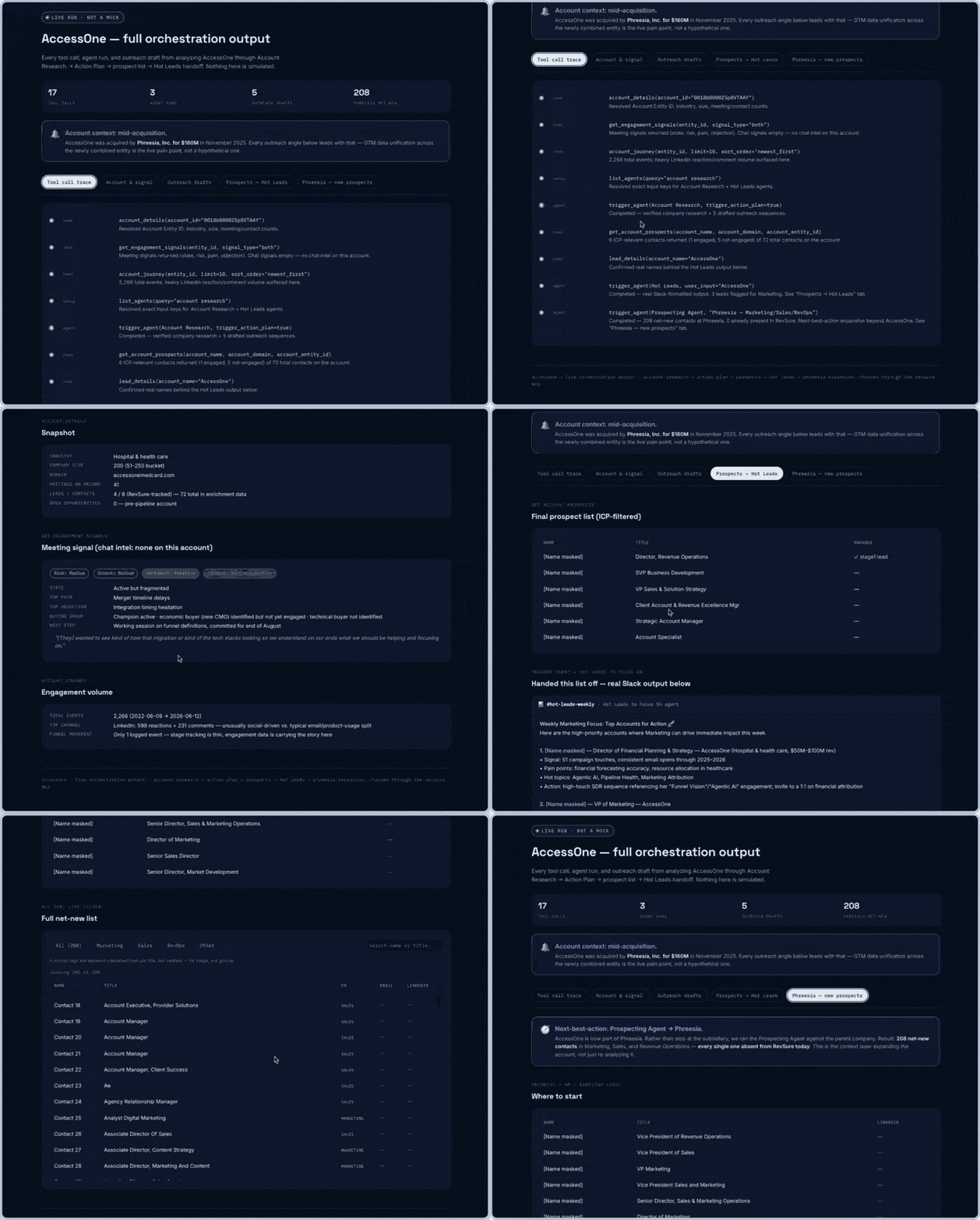
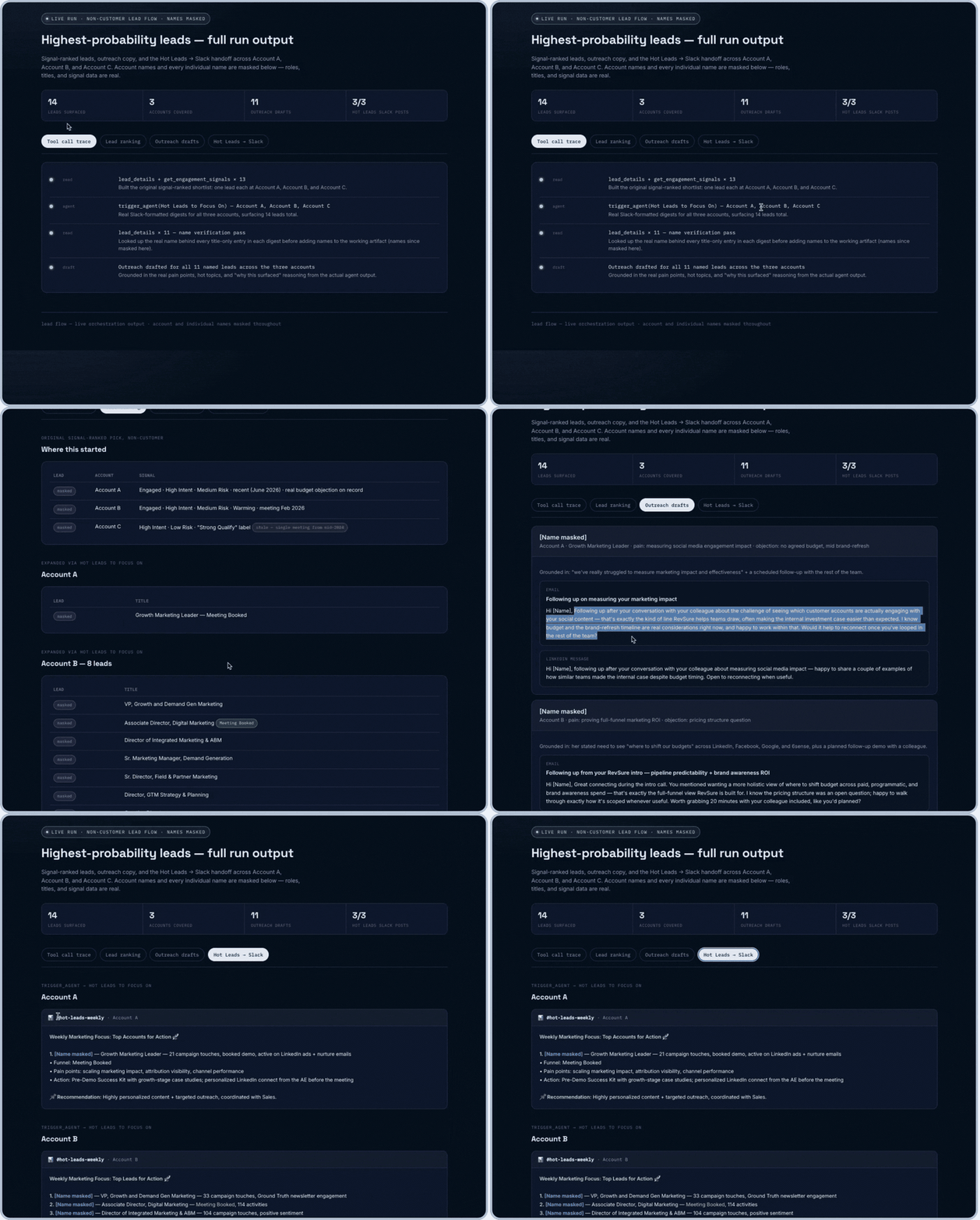
The Lead Prioritization play ranks leads across the tenant by real engagement signal, using intent, risk, sentiment, and recency rather than raw campaign-touch counts. Existing customers are excluded automatically. The play drafts grounded outreach per lead and hands the finished list to the Hot Leads to Focus On agent for Slack distribution, one account at a time. Ranking by touch count rewards the leads that have been marketed at most heavily, which measures your own activity rather than the buyer's interest.
To access:
Reli Chat or the RevSure MCP connector, with the trigger phrase "run the lead prioritization play"
Closed Lost Deal Win Back Play
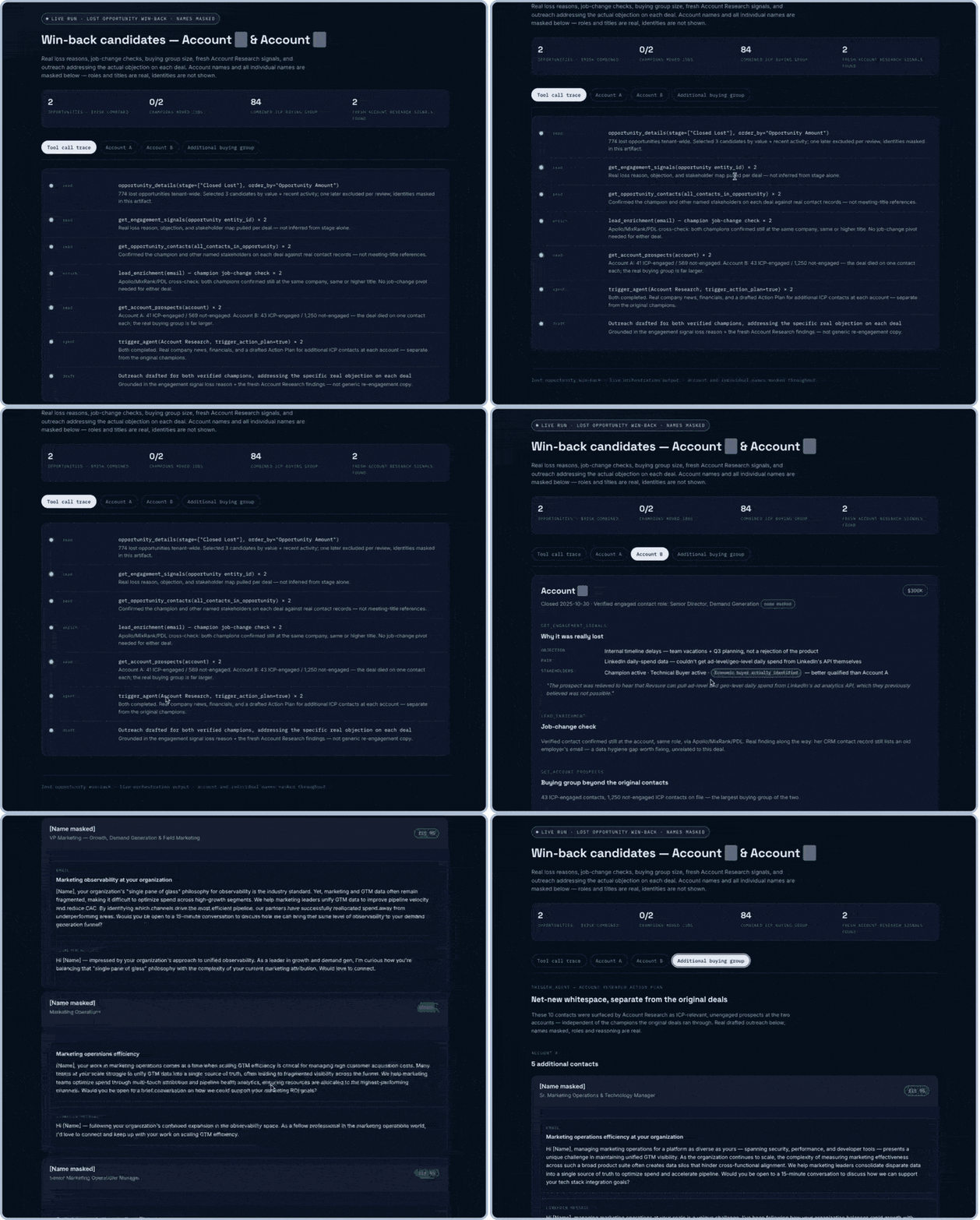
The Closed Lost Deal Win Back play finds closed-lost opportunities worth re-engaging by reading the actual loss reason from engagement signals rather than the stage field. It confirms the champion has not moved jobs, pulls in the wider buying group beyond the single contact the deal died on, checks for fresh company signals since the deal closed, and drafts outreach that addresses the real objection. The stage field on a closed-lost opportunity is one of the least reliable pieces of data in any CRM.
To access:
Reli Chat or the RevSure MCP connector, with the trigger phrase "run the lost deals win-back play"
Reli Brief
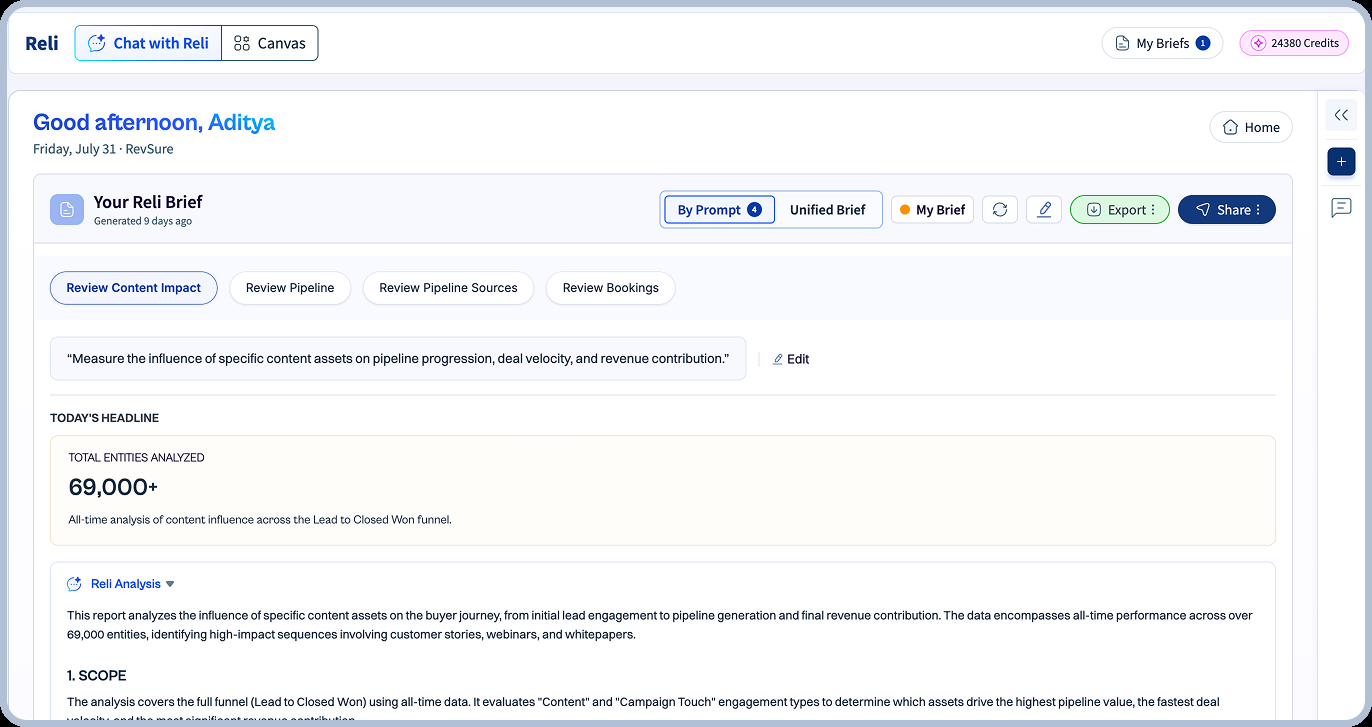
Reli Brief is a personalized briefing experience inside Reli Chat that summarizes your most important GTM insights based on your role, business priorities, and configured prompts. Briefs can be generated on demand or scheduled, and delivered through email or Slack as PDFs, Google Docs, or inline messages. Meeting people in the tool they already have open is most of the adoption problem in enterprise software, and a brief that arrives before the pipeline meeting gets read.
Booking Readiness
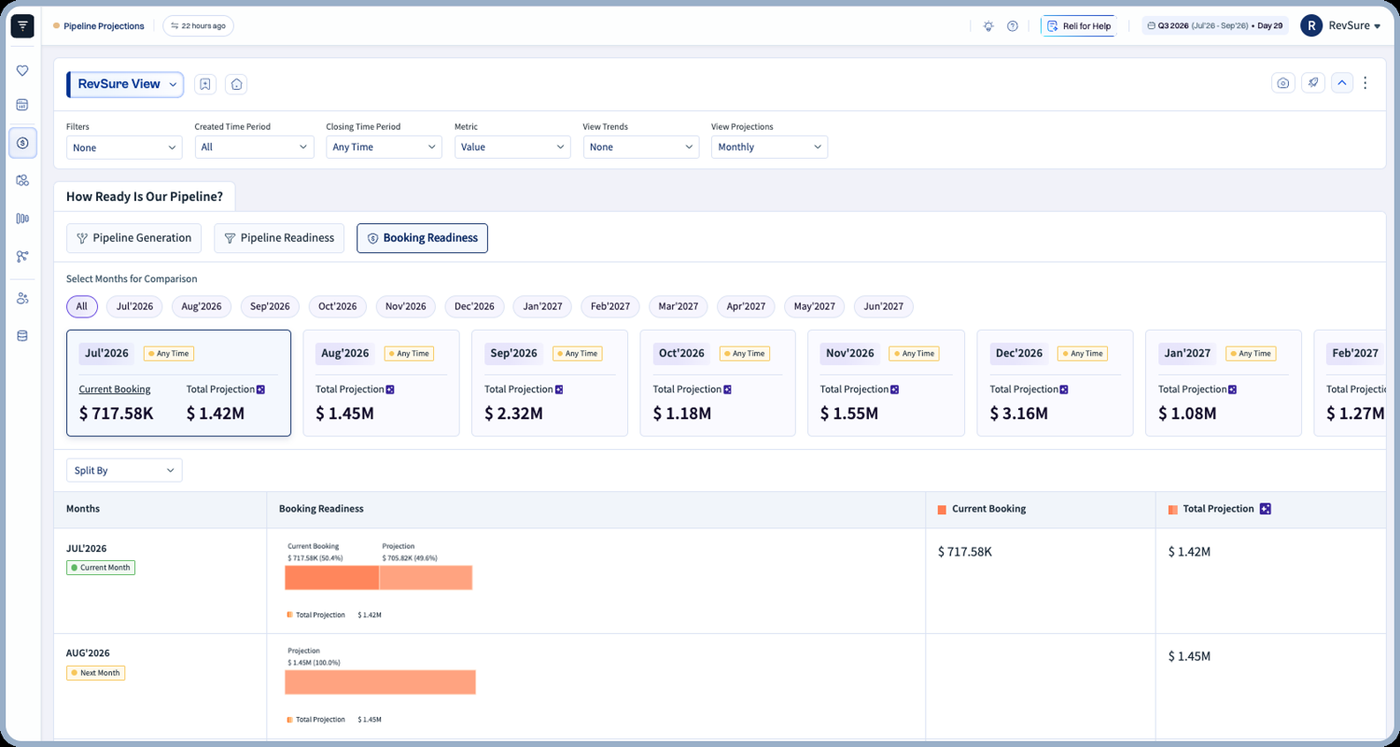
Monthly Projection now includes Booking Readiness, which forecasts future bookings with AI-powered pipeline projections and answers a specific question: is the current pipeline sufficient to hit the upcoming booking target? Most forecasting tools tell you what the pipeline is worth. Booking Readiness tells you whether it is enough, which is the question a CRO is actually asked on a board call, and identifying the gap early is the only way to do anything about it.
Enterprise Connectivity: BigQuery and Outlook
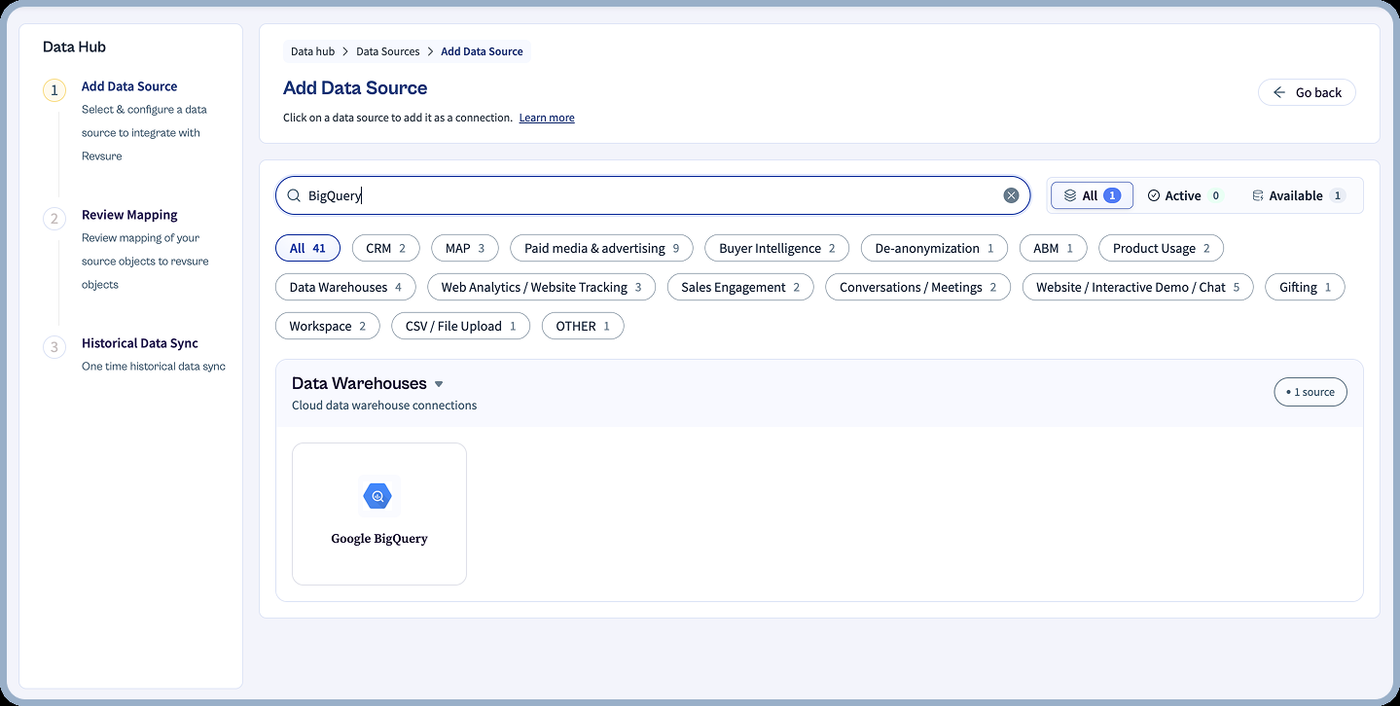
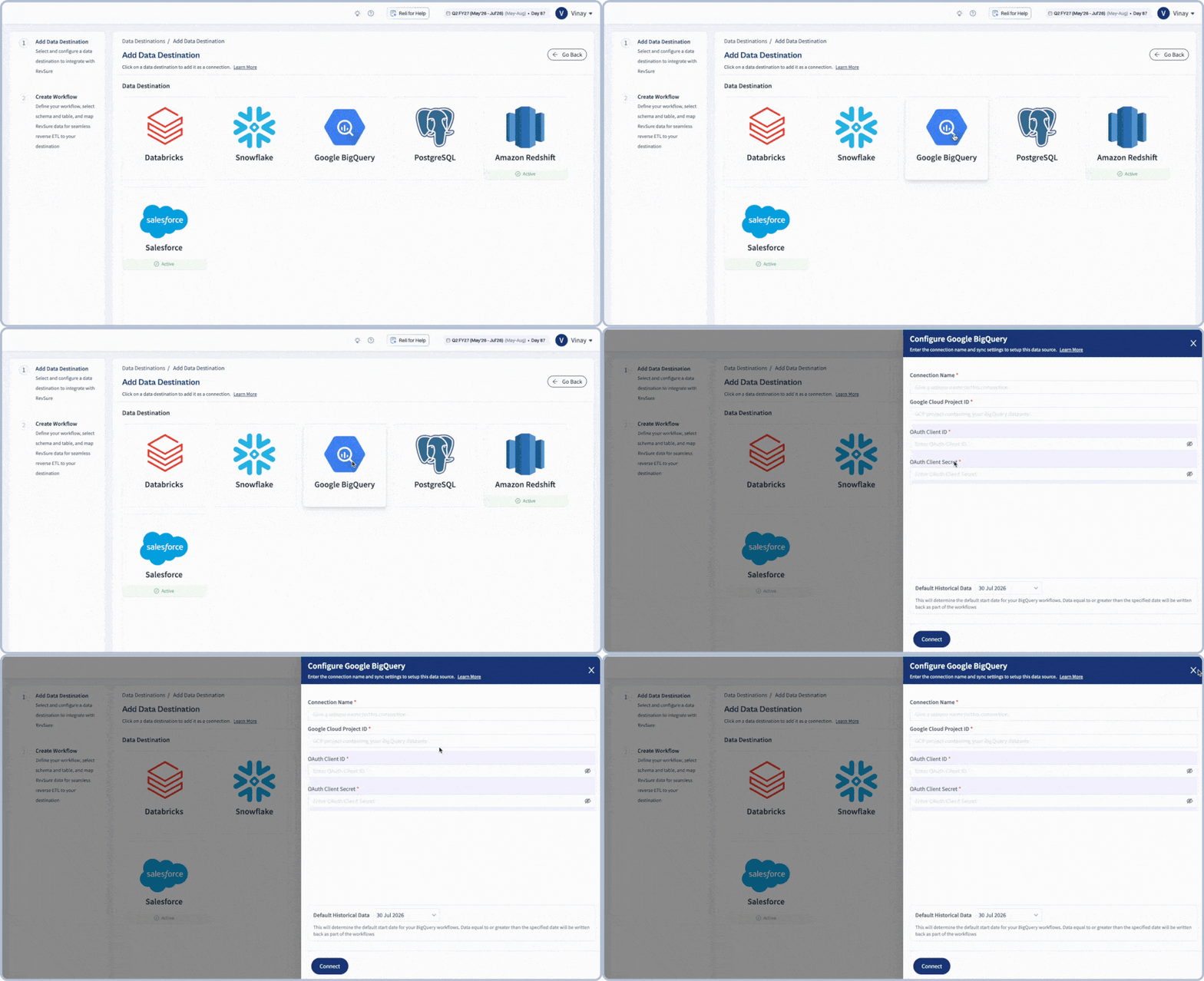
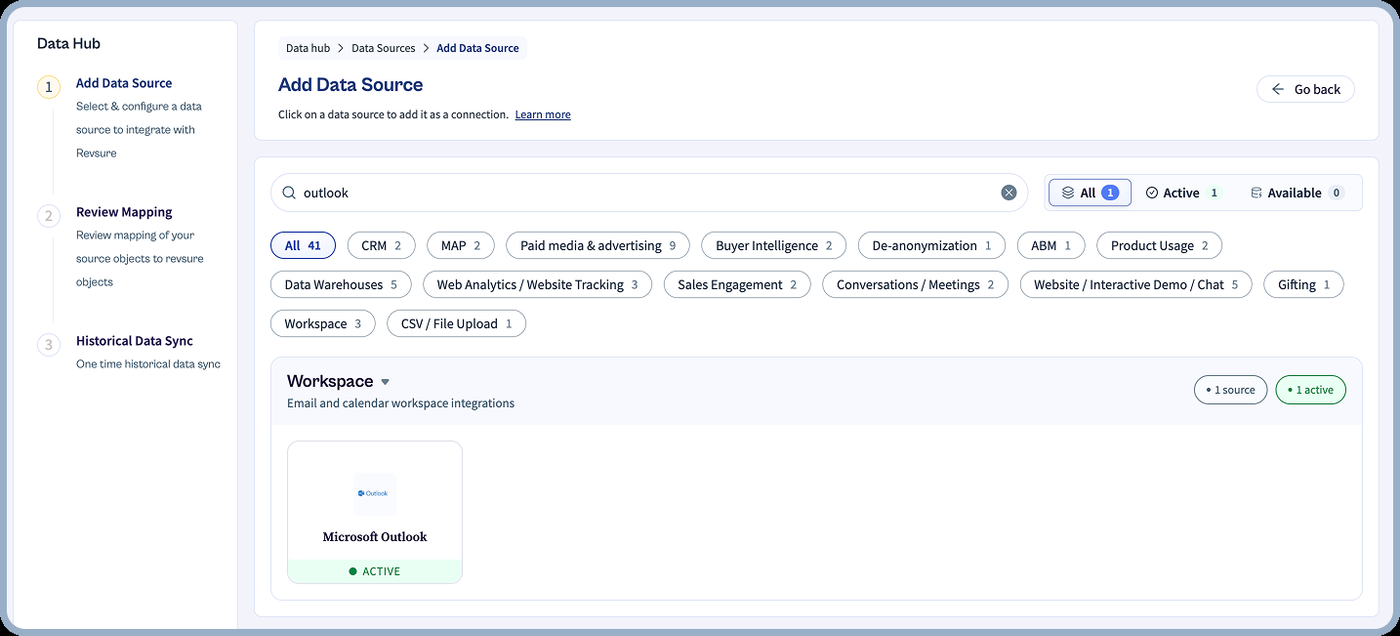
Google BigQuery now works as both a data source and a destination. Ingest CRM, marketing, product, and custom GTM data from BigQuery for unified analytics, attribution, and AI-powered insight, and write processed RevSure data back to BigQuery for downstream reporting, modeling, and activation. Bidirectional is the important word: writing enriched, attribution-complete data back means the warehouse gets better because RevSure is connected to it. Microsoft Outlook is now a native source for both email and calendar, so meetings and emails sync alongside CRM and marketing activity to build a complete engagement timeline that feeds attribution, journey analysis, and prioritization.
To access:
Data Hub → Sources → Google BigQuery, and Data Hub → Sources → Microsoft Outlook
Journey Parent Campaign Grouping
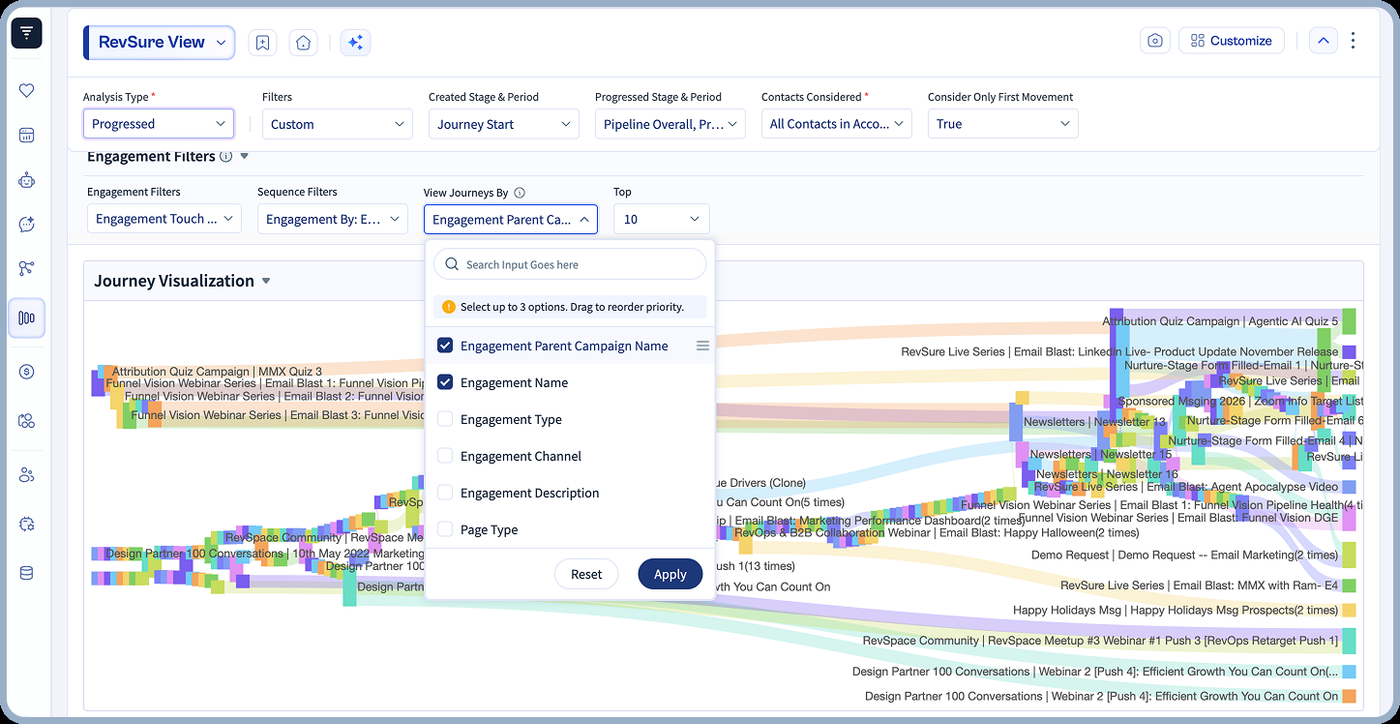
Journey Visualization adds Engagement Parent Campaign Name to View Journeys By, so journeys can be grouped and visualized at the parent campaign level. Campaign hierarchies become comparable, which matters for any team running a program structure with dozens of child campaigns under one initiative.
Daily Pacing: Weighted % to Target
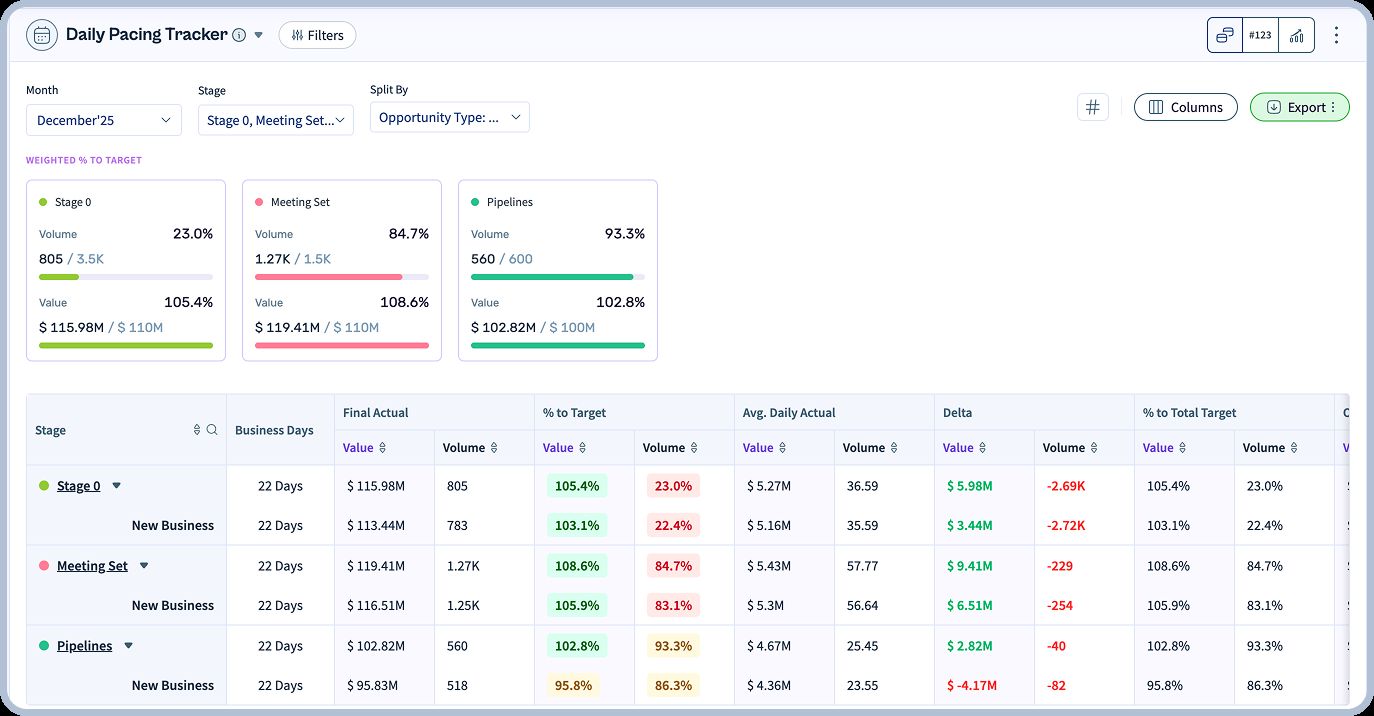
The Daily Pacing Tracker now includes Weighted % to Target summary cards and breakout analysis. Stage-level target attainment is visible for both value and volume, and pacing metrics can be broken down by dimensions such as Generated By.
Side Panel Drilldowns
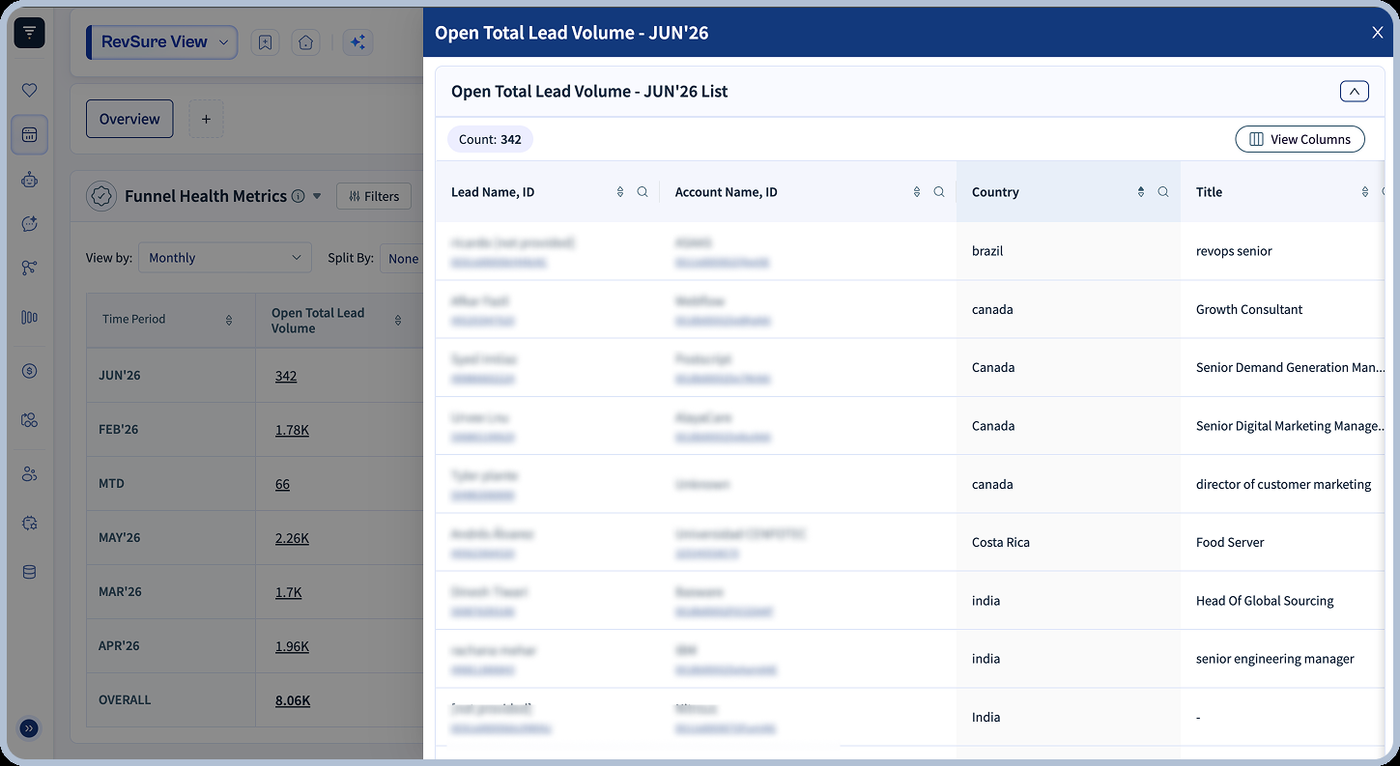
Side Panel Drilldowns expanded again, now covering Funnel Health Metrics, Cohort Intelligence, and Journey widgets. Click a metric and see the accounts, leads, contacts, opportunities, or journey activities behind it, without leaving the view.
Custom Relative Time Periods
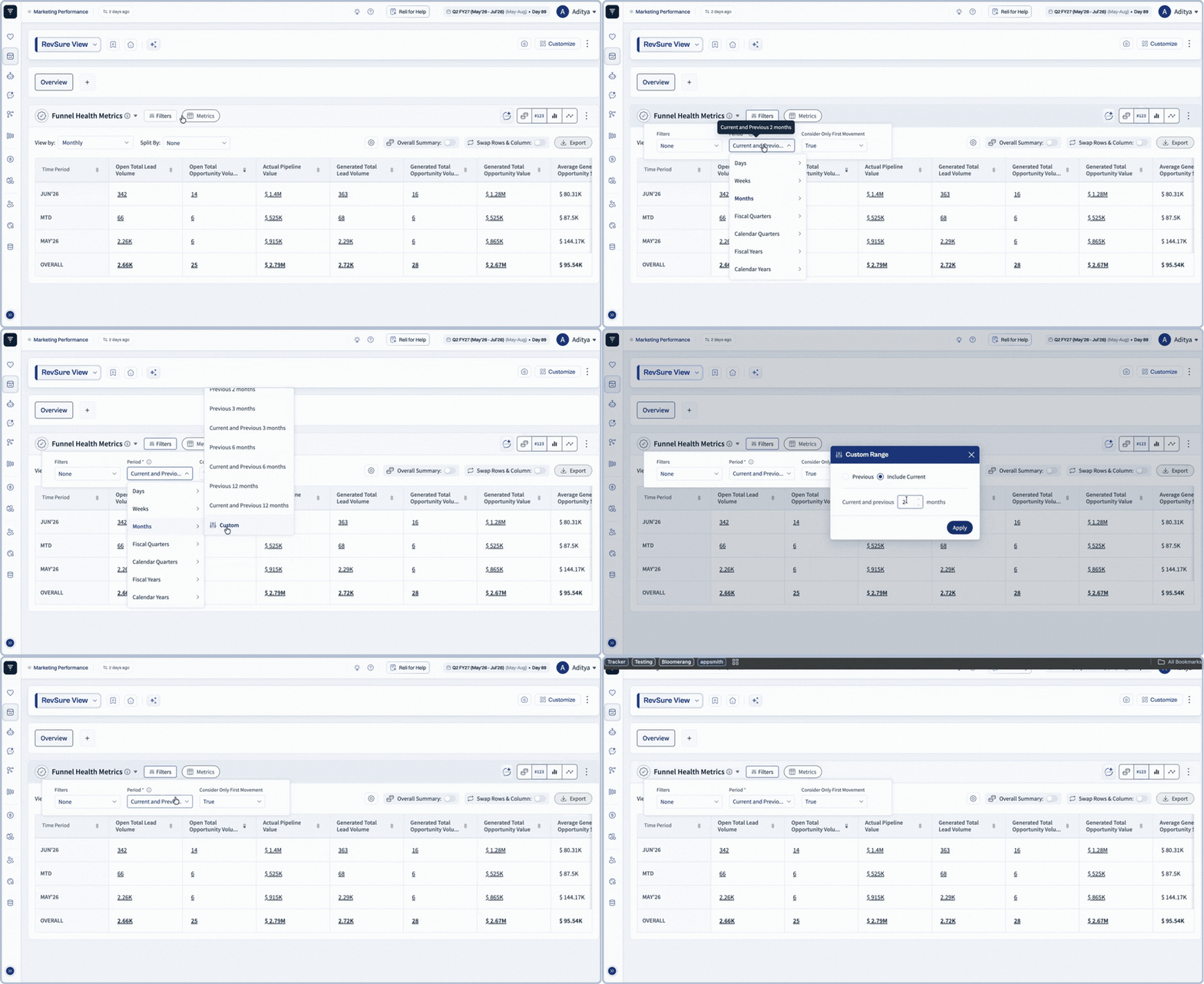
Custom Relative Time Periods let you define relative windows of any duration across days, weeks, months, quarters, fiscal quarters, and years, on top of the existing predefined periods. Teams whose fiscal calendar does not match a default now have analysis that matches how they actually report.
None of these agent actions run unsupervised. Outreach, sequence activation, and anything that touches a prospect requires explicit human confirmation before it executes. The agent does the work, and a person decides whether it ships. For a walkthrough of any feature in this release, reach out to our team here.